Table of contents
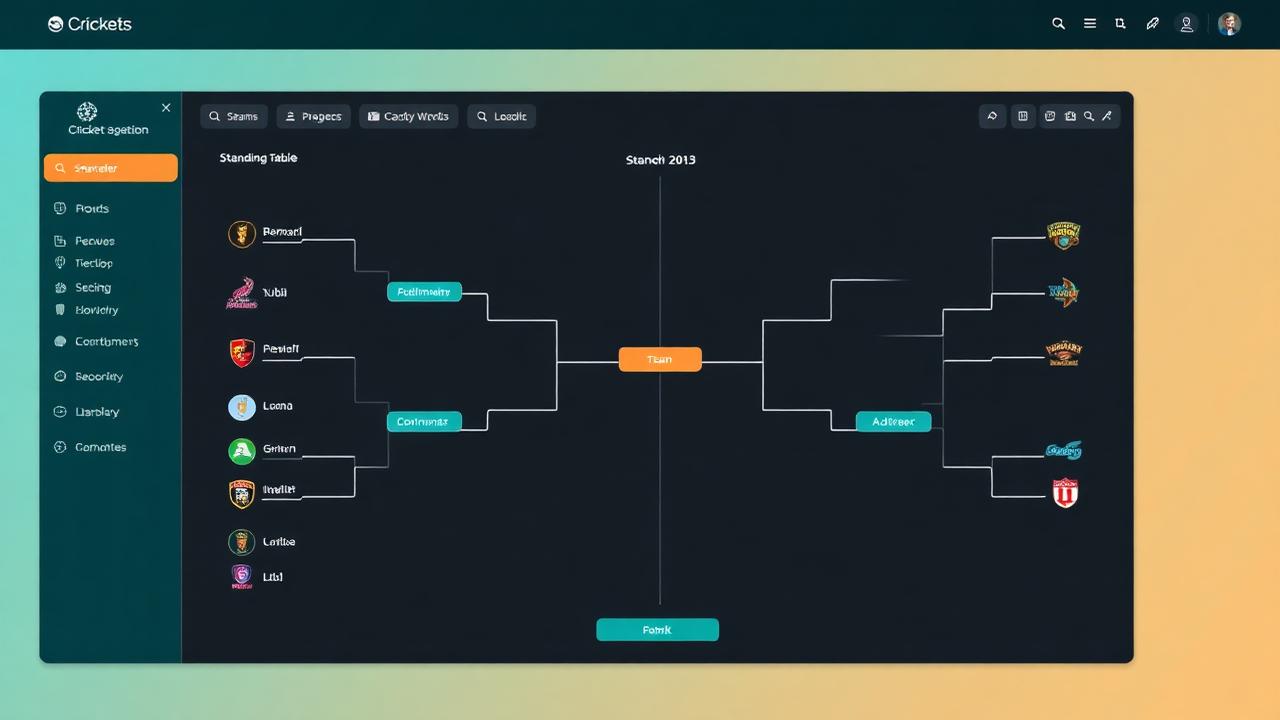
Managing a modern cricket squad requires balancing lineup sheets, player availability, match fees, live scoring, and career performance tracking. A dedicated cricket team management app eliminates the chaos of scattered group chats and illegible paper scorebooks by bringing administrative work, ball-by-ball scoring, and club communications into one unified mobile platform.
Whether you run an established weekend league club, a developmental youth academy, or a neighborhood tape-ball side, choosing the right digital platform transforms how your players perform and how your community follows your journey.
Quick Answer: What Is a Cricket Team Management App?
A cricket team management app is a specialized mobile and web software tool designed for team captains, club secretaries, coaches, and scorers. It automates squad selection, tracks individual player statistics, generates tournament fixtures, and powers live ball-by-ball scoring.
Modern platforms like Run & Ball allow teams to operate seamlessly both online and offline. By synchronizing match statistics across devices, teams can publish instant score updates, manage tournament schedules, and broadcast live graphic overlays directly to social channels without requiring expensive professional hardware.
Why Grassroots Clubs and Academies Need Digital Management
For decades, recreational cricket relied on handwritten books, manual phone trees, and spreadsheet templates that disappeared when an administrator stepped down. Grassroots cricket operations often suffer from preventable operational hurdles:
- Lost Match Histories: When paper scorebooks get rain-damaged or lost during the off-season, years of player milestones, batting averages, and club records vanish.
- Selection Confusion: Juggling squad availability across multiple messaging threads leads to late dropouts, unbalanced teams, and missed player registrations on matchday mornings.
- Slow Administrative Turnaround: Calculating league standings manually requires hours of cross-checking run rates, penalty runs, and bonus points after every weekend round.
- Limited Supporter Engagement: Friends, family, and team sponsors rarely get to follow away games because live updates are restricted to sporadic text messages.
Adopting a specialized cricket platform resolves these bottlenecks. Administrators save hours every week, while coaches and captains gain clear performance data to guide training drills and tactical selections.
Key Features to Look for in a Cricket Team Management App
When evaluating software for your team or academy, generic sports management apps often fall short. Cricket features complex regulations, unique dismissal types, variable over limits, and distinct scoring nuances. The ideal cricket management platform should provide deep, cricket-specific functionality across several functional areas.
1. Robust Ball-by-Ball Scoring with Offline Support
Weekend grounds and suburban parks frequently have weak mobile reception. An app that depends entirely on a stable 4G or 5G connection will freeze during an over, leaving scorers frustrated and data out of sync.
- Offline-First Functionality: Scorers must be able to record complete innings without active connectivity, caching every delivery locally and syncing automatically once connected to Wi-Fi or mobile data.
- Granular Delivery Tracking: The interface should handle extras (wides, no-balls, byes, leg-byes, penalty runs), wagon wheel data, and multi-step dismissals like run-outs involving multiple fielders.
- Quick Corrections: Scorers need an instant "Undo" feature to edit a misrecorded ball or adjust a batsman's runs without having to restart an entire innings.
- Weather Adjustments: Integrated support for rain-affected calculations, including target revisions, ensures matches remain fair even when weather intervenes.
2. Player Roster Management and Career Profiles
Developmental academies and serious amateur clubs depend on reliable player data. A centralized roster allows coaches to evaluate who is improving and where tactical adjustments are necessary.
- Centralized Squad Lists: Maintain verified player details, preferred playing roles (top-order bat, wicketkeeper, seam bowler), and emergency contact information in one location.
- Cumulative Statistics: Every ball scored feeds directly into an individual player's lifetime record, automatically updating batting strike rates, bowling economies, average partnerships, and milestone counts (half-centuries, five-wicket hauls).
- Public Player Profiles: Players can showcase their stats via the open player directory, making it easy to highlight performances for representative trials or league awards.
3. Fixture Scheduling and Tournament Management
If your club manages multiple age-group teams or hosts an annual tournament, manual fixture management quickly becomes overwhelming.
- Automated Match Draw Creation: Use a cricket schedule generator to produce balanced round-robin leagues, knockout brackets, or multi-group playoff formats in seconds.
- Dynamic Standings: Scores should instantly feed into an automated cricket points table calculator so players and supporters can track qualification scenarios immediately after the final ball.
- Automated NRR Calculations: Net Run Rate determines tie-breakers in almost every modern competition. Utilizing a built-in cricket net run rate calculator eliminates math errors and post-match disputes. To understand the underlying calculations, read our guide on how to calculate net run rate.
4. Broadcast Graphics, Live Tracking, and Community Reach
Club cricket thrives when supporters can follow along, regardless of where they are on matchday.
- Real-Time Match Tracking: Share a single link that allows parents, club members, and sponsors to experience cricket live match tracking on their phones with ball-by-ball updates.
- Broadcast-Ready Overlays: If your club streams fixtures to YouTube or Facebook, the app should generate automated graphics overlays compatible with OBS, showing score bugs, batsman cards, and bowling figures. Learn more in our walkthrough on how to live stream a cricket match.
- Automated Match Summaries: Turn completed scorecards into shareable graphics and match reports. Some modern tools even incorporate AI cricket commentary to give amateur recaps a professional broadcast feel.
Step-by-Step Guide: Setting Up Your Cricket Team
Transitioning your squad to a digital app takes only a few minutes. Follow these practical steps to get your team organized ahead of your next fixture:
Step 1: Create Your Club Profile
Open the platform on your phone or computer. Enter your club or academy name, primary location, club colors, and official logo. Setting up a distinct club profile ensures your team branding appears automatically on all digital scorecards and match posters.
Step 2: Build Your Squad Roster
Add your players to the roster. You can enter team members individually or paste a roster list. Assign each player their specific role—such as opening batsman, middle-order accumulator, pace bowler, or spin specialist—and note their batting hand and bowling style.
Step 3: Configure Match Rules and Formats
Cricket is not one-size-fits-all. Before starting a fixture, select the precise format you are playing:
- Match Type: Choose between traditional red-ball formats, standard T20, developmental T10, or fast-paced tape-ball formats like F5 (5 overs per side).
- Innings Parameters: Set customized maximum overs per bowler, wide and no-ball run penalties, and custom retirement scores for youth academy competitions.
Step 4: Conduct Live Scoring
On matchday, assign a designated scorer. The scoring console lets the user tap to record each delivery, tracking runs, extras, and dismissals with minimal effort. Because the platform caches data locally, scoring continues seamlessly even if your pitch is located in a cellular dead zone.
Step 5: Publish Standings and Review Match Data
The moment the match concludes, finalize the scorecard. The platform automatically aggregates match figures into overall player records, recalculates league points tables, and archives the match sheet for future reference.
Tailored for Every Level: Gully, Tape Ball, and Elite Academies
Most traditional scoring software is engineered solely for formal, multi-day club matches following strict MCC regulations. However, the vast majority of cricket played worldwide—particularly across Pakistan, India, the UAE, and diaspora communities—happens on concrete pitches, asphalt streets, and indoor arenas.
Run & Ball was engineered specifically to handle both standard formats and non-traditional styles:
- Gully and Tape Ball Cricket: Custom rules allow for quick single-wicket rules, non-standard over limits, variable run-out rules, and limited-delivery games where every ball matters.
- Youth Academies: Coaches can implement mandatory bowling rotation rules, retire batters after a set number of runs to distribute game time, and track developmental milestones across an entire age cohort.
- Semi-Pro and Amateur Leagues: League administrators can oversee multiple grounds simultaneously, track umpire assignments, and resolve disputed scorebook entries with verifiable ball-by-ball audit logs.
Essential Matchday Checklist for Team Managers
To ensure your match proceeds without technical hitches or organizational delays, keep this operational checklist in mind:
- Verify Squad Availability: Confirm your playing eleven at least 24 hours prior to the toss to avoid last-minute forfeit penalties.
- Designate a Match Scorer: Ensure at least two team members know how to operate the mobile scoring app in case your primary scorer is called to bat or bowl.
- Pre-Load Match Details: If you are playing at a ground with unreliable cell coverage, open the match fixture while on home Wi-Fi to load player profiles onto your device's cache.
- Bring Backup Power: Keep a portable battery bank in the team kit bag to ensure the scoring device stays charged through both innings.
- Sync Post-Match: Connect to Wi-Fi immediately after the game to push all offline deliveries to the cloud, allowing league tables and player profiles to update instantly.
For a comprehensive tournament organization workflow, consult our complete cricket tournament checklist and step-by-step guide on how to organize a cricket tournament.
Connecting Scorers, Coaches, and Fans
A cricket team management app is more than a digital replacement for a pencil and paper notebook; it serves as a central hub for your team's community.
Coaches gain objective performance data to structure training sessions around tangible weaknesses—such as identifying excessive dot balls during middle overs or high extras counts in death overs. Players receive tangible recognition for their performances, archived permanently on their personal profiles. Meanwhile, team supporters, overseas family members, and local sponsors stay connected to every wicket, boundary, and bowling spell in real time.
Ready to elevate your club's administration and scoring? You can start a free tournament, set up your club squad, or browse all live matches currently being scored on Run & Ball.
Authoritative Cricket References
- ICC Official Rules and Playing Conditions
- ESPNcricinfo Statistics & Records
- Cricket Rules and History on Wikipedia
More Resources for Cricket Clubs
Chennai Chargers
84/3
Overs 9.0 · CRR 9.33
Target 165
Need 81 in 66 balls
RRR 7.36
Free tournament templates
CSV templates you can open in Excel, Google Sheets or Numbers. Ready-made for round-robin fixtures, points tables with NRR, scorecards and roster sheets.
Manage your next cricket tournament with Run & Ball
- Live ball-by-ball scoring
- Auto fixtures & points table
- Player & team stats
- Free forever
People also ask
Reader comments(0)

Ready to run your next cricket tournament?
Score matches ball-by-ball, run fixtures, points tables and playoffs, and stream to OBS — all free from one phone.
Related articles
- Cricket Clubs & Academies
Cricket Club Management Software — Free for Small Clubs
Run a cricket club from one mobile app: members, squads, matches, stats, fixtures and a public club page. Free with Run & Ball.
- Cricket Clubs & Academies
Cricket Academy Management System — Track Every Trainee
Manage your cricket academy: players, performance, internal tournaments and stats. Free mobile system from Run & Ball.
- Cricket Clubs & Academies
Cricket Player Registration Software — Free Tool & Guide | Run & Ball
Cricket Player Registration Software: how Run & Ball gives you a free, mobile-first cricket player registration software for clubs, schools, academies and local cricket leagues.
- Cricket Clubs & Academies
Cricket Membership Management — Free Tool & Guide | Run & Ball
Cricket Membership Management: how Run & Ball gives you a free, mobile-first cricket membership management for clubs, schools, academies and local cricket leagues.
- Cricket Clubs & Academies
Cricket Club Website Builder — Free Tool & Guide | Run & Ball
Cricket Club Website Builder: how Run & Ball gives you a free, mobile-first cricket club website builder for clubs, schools, academies and local cricket leagues.
- Cricket Clubs & Academies
Cricket Academy Software — Free Tool & Guide | Run & Ball
Cricket Academy Software: how Run & Ball gives you a free, mobile-first cricket academy software for clubs, schools, academies and local cricket leagues.