Table of contents
Quick answer
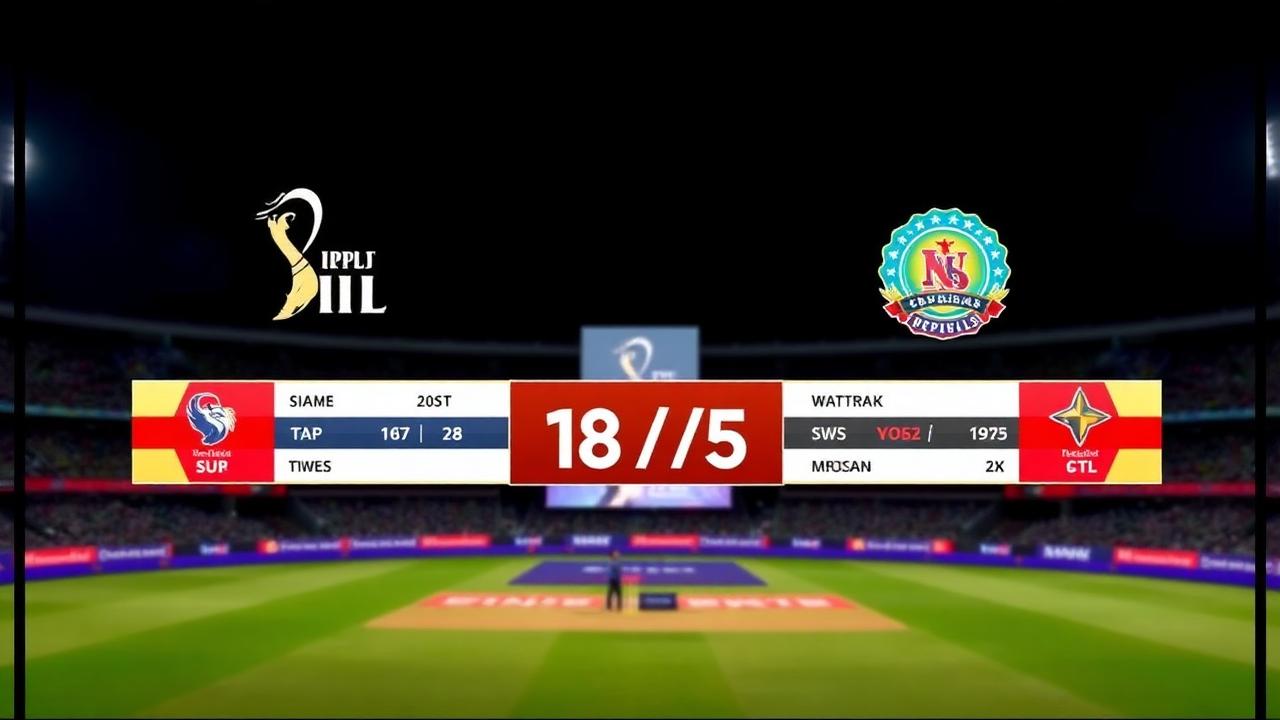
AI cricket commentary uses artificial intelligence to convert live ball-by-ball scoring inputs into contextual, descriptive text and audio narratives in real time. Instead of requiring a dedicated human commentator, platforms like Run & Ball process game events—such as boundary sequences, wicket falls, maiden overs, and required run rate pressure—to generate broadcast-ready descriptions automatically. Organizers can display this commentary on live streams, match feeds, and spectator apps without specialized broadcast hardware.
---
Live match coverage is no longer reserved for professional leagues and televised international tournaments. Today, amateur clubs, weekend leagues, and tape-ball tournaments stream matches to hundreds or thousands of viewers online. However, one key component has historically separated local match streams from professional sports broadcasts: live commentary.
Implementing AI cricket commentary bridges that gap. By translating standard scoring taps into intelligent match commentary, grassroots organizers can deliver high-production experiences to remote spectators, family members, and league followers around the world.
The Role of AI Cricket Commentary in Modern Grassroots Cricket
In top-tier international cricket, a team of commentators, analysts, and producers sits behind the microphone to evaluate field placings, bowler match-ups, and statistical milestones. In grassroots cricket—whether hardball club leagues in England, weekend tournaments in the UAE, or tape-ball nights in Pakistan and India—finding volunteers willing to sit behind a microphone for six hours is virtually impossible.
AI-driven commentary solves this operational hurdle. As a scorer inputs standard match data (dots, singles, wickets, extras), an algorithmic engine evaluates the current state of the match against historical context. The software analyzes factors such as:
- Phase of the game: Powerplays, middle overs, or death overs.
- Match leverage: Low-risk defensive consolidation versus high-pressure run chases.
- Milestone tracking: Batters nearing half-centuries, bowlers on hat-tricks, or partnerships crossing century thresholds.
- Run rate fluctuations: Sudden jumps in the required run rate or sharp momentum swings following boundary clusters.
The result is human-like, contextual commentary delivered instantly to match feeds and video streaming software. Viewers following via Cricket Live Match Tracking receive detailed ball-by-ball descriptions that explain not just *what* happened, but *why* it matters to the match outcome.
How Automated Cricket Commentary Works Behind the Scenes
Automated commentary engines rely on structured data pipelines to translate simple numeric inputs into natural language. While traditional scoring software records a simple "4" or "W", an AI-powered system enriches each delivery before outputting text.
1. Data Ingestion and Event Flagging
The engine begins at the scoring screen. When a scorer records a delivery, the app registers multiple data variables:
- The batter on strike and non-striker
- The active bowler and spell details (e.g., over number, runs conceded)
- The outcome (runs, extras, dismissal type, fielder involvement)
- The state of the innings (current score, wickets fallen, overs remaining)
2. Contextual Rule Engines
A pure statistical log cannot tell a compelling story. An intelligent commentary engine assesses contextual variables. For example, if a team chases 180 runs in a T20 match and loses three wickets in the first two overs, the AI flags high win-probability distress.
If a batter hits a six on the first ball of the twentieth over, the AI interprets this differently than a six hit during the third over. By evaluating run margins, current run rate versus required run rate, and historical strike rates, the system chooses language appropriate to the intensity of the moment.
3. Natural Language Generation (NLG)
Once the data is evaluated, the system deploys natural language templates and generative models to construct natural sentences. To prevent repetition—which commonly plagues basic sports scripts—the system uses diverse syntactic structures, adjectives, and situational references.
A single defensive delivery might be described as "a solid defensive push straight to mid-on," "tucked away safely into the leg side for no run," or "beaten past the outside edge with late seam movement," depending on the ball attributes and match context.
4. Real-Time Distribution
The generated narrative string is instantly published to multiple endpoints:
- In-app match timelines for remote spectators
- Broadcast graphics engines feeding live video streams
- Automated match summary widgets and social recap generators
Why Local Clubs and Tournaments Need AI Commentary
Broadcasting local matches used to mean pointing a smartphone camera at the pitch with muffled wind noise in the background. Adding real-time commentary and professional graphics fundamentally changes spectator engagement and league prestige.
Enhancing Viewer Retention on Live Streams
Viewers scrolling past a YouTube or Facebook stream rarely stay if the video lacks context. An audience cannot always tell who is bowling, how many runs are needed, or what happened three balls ago.
Pairing live streams with real-time text commentary, animated graphics, and dynamic overlays gives local tournaments the feel of a televised broadcast. Spectators stay longer, share match links, and follow teams across multiple rounds.
Professional Presentation for Sponsors
Grassroots cricket tournaments depend on local business sponsorship. When organizers provide broadcast-level production—including ball-by-ball commentary, player statistics, and sponsor-branded overlays—sponsors receive significantly higher visibility. Presenting an automated, broadcast-ready digital match center makes tournament proposals much more attractive to commercial partners.
Eliminating Operational Headaches
Finding reliable scorers is challenging enough; finding volunteer commentators is even harder. AI commentary operates in the background without requiring extra staff. The scorer simply focuses on scoring accurately, and the software handles storytelling, milestone alerts, and live narrative creation.
Key Features in Run & Ball's Scoring and Commentary Suite
Run & Ball provides a modern, mobile-first ecosystem tailored to amateur, club, and tape-ball cricket. The app integrates scoring, tournament management, streaming, and automated commentary into a unified platform.
- Offline-First Functionality: Ground connectivity can be unreliable. Run & Ball allows scorers to log deliveries completely offline. Once internet access is restored, the match data and commentary sync automatically with the cloud.
- Built for Diverse Formats: Traditional cricket software focuses purely on standard 50-over or multi-day formats. Run & Ball is built specifically for formats like F5, T10, T20, and tape-ball gully cricket, with custom over limits and local playing conditions supported natively.
- Dynamic Broadcast Overlays: Directly push live scores, player stats, and commentary text onto OBS Studio, vMix, or mobile streaming setups.
- Integrated Tournament Tools: Generate complex structures effortlessly using the Cricket Schedule Generator and automate tournament rankings with the Cricket Points Table Calculator.
- Automated Tie-Break Calculations: Tiebreakers and standings resolve automatically through built-in Net Run Rate tools. Learn more about how NRR works or use the specialized Cricket Net Run Rate Calculator and NRR Calculator for manual tournament modeling.
Step-by-Step Guide: Setting Up Live Scoring and AI Commentary
Setting up automated match commentary and digital coverage on Run & Ball takes only a few minutes. Follow these practical steps to configure your match from your phone or computer.
Step 1: Create Your League and Teams
- Open Run & Ball in your web browser or launch the mobile application.
- Navigate to your dashboard and create a new competition, or review the Cricket tournament checklist if you are organizing an extended event.
- Add team rosters by manually inputting names or pasting a full squad list. You can explore registered teams and individuals in the player directory.
Step 2: Configure Match Format and Rules
- Select your match format: T20, T10, F5, or custom tape-ball parameters.
- Set playing condition limits: maximum overs per bowler, wide/no-ball penalty values, and boundary restrictions.
- If managing an entire league, link the match to an existing bracket created through our guide on how to organize a cricket tournament.
Step 3: Set Up Your Broadcast Overlays (Optional)
- If you plan to stream video, see our detailed guide on how to live stream a cricket match.
- Copy your unique overlay URL from the match settings inside Run & Ball.
- Paste the URL as a Browser Source inside your streaming tool (such as OBS Studio or Prism Live Studio).
- Select which elements to display: bottom-third scorecard, strike-rate ticker, or live AI commentary line.
Step 4: Score the Match Ball-by-Ball
- Conduct the toss and set the active opening batters and bowler.
- Tap the scoring buttons for each delivery (runs, dots, wickets, extras).
- The AI engine immediately processes the delivery data, updating public scorecards, generating match commentary, and recalculating win probabilities.
- Spectators can follow along live from anywhere via the browse all live matches section.
Best Practices for Broadcasting Local Matches
To deliver the highest-quality broadcast experience for remote fans, combine automated commentary with reliable match-day workflows.
1. Maintain Scorer Accuracy
AI commentary is directly driven by your scoring data. Scorers should carefully log dismissal types (caught, bowled, run out), tag participating fielders, and note whether a boundary was hit along the ground or cleared the ropes. Rich input produces much more vivid and accurate automated narrative descriptions.
2. Keep Batting and Bowling Lineups Updated
Commentary engines pull player performance histories from their profiles. Entering correct player names rather than generic placeholders ("Player 1", "Guest") ensures the AI can highlight key milestones, previous boundaries, and multi-wicket spells accurately.
3. Sync Stream Audio and Visual Overlays
When using broadcast software like OBS, streaming latency can occasionally cause graphics to update a few seconds ahead of real-time camera footage. Adjust the stream delay or browser source refresh timings in your streaming software so that overlay commentary matches the on-screen action.
4. Provide Match Links Early
Share the match link with players, team groups, and social channels well before the first delivery. Spectators can follow live scores and text commentary on their mobile devices even if bandwidth limitations prevent them from watching high-definition live video.
Elevating Local Cricket Production
Grassroots cricket deserves the same narrative depth and excitement as premier franchise leagues. Automated scoring insights, match predictors, and real-time narrative generation remove the technical and financial barriers that previously kept local clubs from looking professional.
Whether organizing a high-stakes weekend tournament or a friendly neighborhood tape-ball series, modern digital tools ensure every boundary, wicket, and dramatic run chase is recorded and celebrated with the detail it deserves.
Ready to run your next competition with professional scoring and automated match updates? Start a free tournament or browse all live matches to see the platform in action.
Chennai Chargers
84/3
Overs 9.0 · CRR 9.33
Target 165
Need 81 in 66 balls
RRR 7.36
Manage your next cricket tournament with Run & Ball
- Live ball-by-ball scoring
- Auto fixtures & points table
- Player & team stats
- Free forever
People also ask
Reader comments(0)

Ready to run your next cricket tournament?
Score matches ball-by-ball, run fixtures, points tables and playoffs, and stream to OBS — all free from one phone.
Related articles
- Live Scoring & Streaming
Live Cricket Scoring Software — Free Tool & Guide | Run & Ball
Live Cricket Scoring Software: how Run & Ball gives you a free, mobile-first live cricket scoring software for clubs, schools, academies and local cricket leagues.
- Live Scoring & Streaming
Cricket Live Score App — Free Tool & Guide | Run & Ball
Cricket Live Score App: how Run & Ball gives you a free, mobile-first cricket live score app for clubs, schools, academies and local cricket leagues.
- Live Scoring & Streaming
Live Cricket Streaming Software — Free Tool & Guide | Run & Ball
Live Cricket Streaming Software: how Run & Ball gives you a free, mobile-first live cricket streaming software for clubs, schools, academies and local cricket leagues.
- Live Scoring & Streaming
Cricket Broadcast Software — Free Tool & Guide | Run & Ball
Cricket Broadcast Software: how Run & Ball gives you a free, mobile-first cricket broadcast software for clubs, schools, academies and local cricket leagues.
- Live Scoring & Streaming
Cricket Streaming Platform — Free Tool & Guide | Run & Ball
Cricket Streaming Platform: how Run & Ball gives you a free, mobile-first cricket streaming platform for clubs, schools, academies and local cricket leagues.
- Live Scoring & Streaming
Cricket Live Match Tracking — Free Tool & Guide | Run & Ball
Cricket Live Match Tracking: how Run & Ball gives you a free, mobile-first cricket live match tracking for clubs, schools, academies and local cricket leagues.