Table of contents
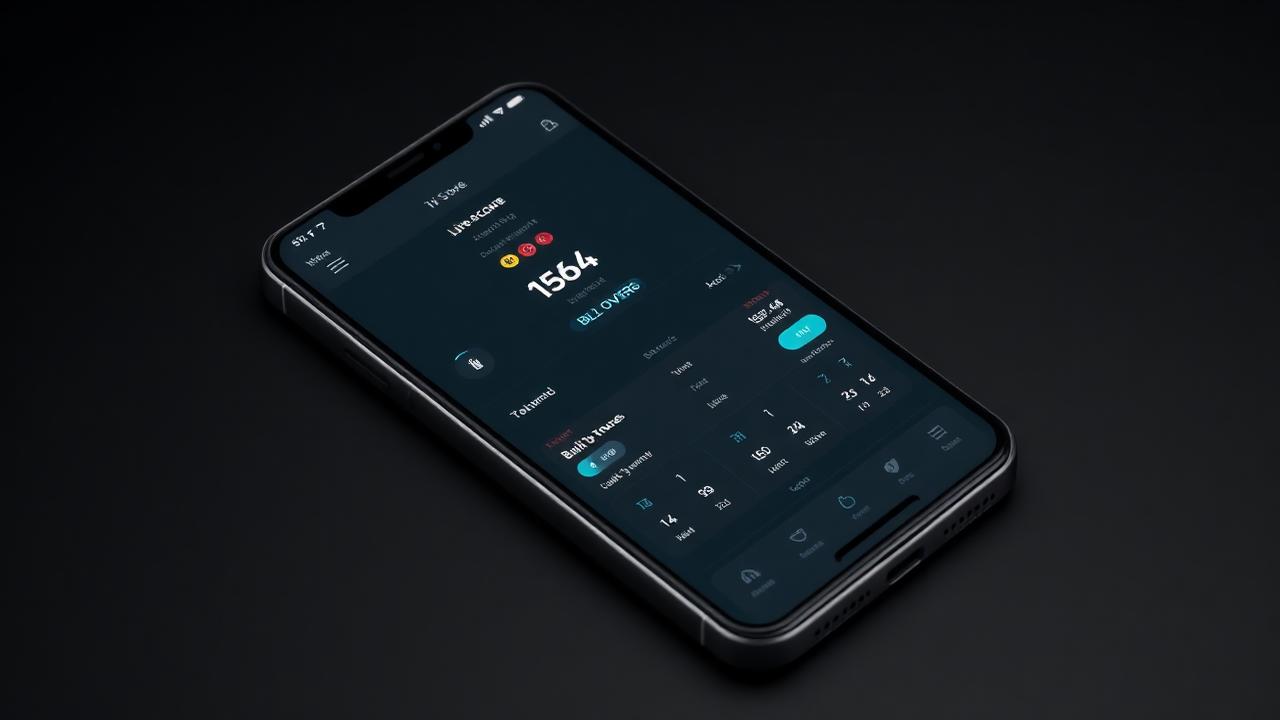
Finding a reliable live cricket scoring app has transformed how grassroots leagues, local clubs, and school tournaments manage their fixtures. In modern cricket, players, coaches, and remote supporters expect instantaneous ball-by-ball updates directly on their phones. Run & Ball delivers a mobile-first digital platform engineered specifically for everyday playing conditions across South Asia, the Middle East, and worldwide—covering everything from professional hardball competitions to high-intensity tape ball, gully cricket, T10, T20, and F5 formats.
Quick Answer: What Does a Live Cricket Scoring App Do?
A live cricket scoring app replaces traditional paper scorebooks with a digital, ball-by-ball input system that updates player statistics, runs, extras, and overs in real time. Modern platforms automate complex math such as strike rates, economy rates, and Net Run Rate, while broadcasting instant scores via a public link to spectators and streaming software. Dedicated solutions also include offline-first architecture, allowing scorers to record play without an active internet connection and sync match data whenever network connectivity returns.
Core Features of a Modern Live Cricket Scoring App
Moving away from paper scorebooks eliminates mathematical errors, torn sheets, and delayed league updates. However, not every digital scoring tool handles the complex and spontaneous nature of amateur cricket. A truly effective application must offer deep functionality that mirrors the official ICC official rules and playing conditions while remaining straightforward enough for a volunteer scorer on the boundary rope.
1. Intuitive Ball-by-Ball Logging
The primary interface must allow scorers to log balls with minimal taps. This includes instant handling of:
- Standard runs (singles, twos, boundaries, sixes).
- Common extras (wides, no-balls, leg-byes, byes, penalty runs).
- Dynamic wicket entry with dismissal methods (bowled, caught, run out, stumped, LBW, hit wicket, retired hurt).
- Striker and non-striker reassignment following crossings or complex run-out scenarios.
- One-touch undo functions to immediately correct clerical mistakes without stalling the over.
2. Deep Tournament Integration and Automation
Scoring a single friendly fixture is one thing; managing an eight-team regional trophy is another. Digital scoring platforms should automatically link individual matches to tournament brackets. When a match ends, the system instantly recalculates the points table, factoring in points, matches played, and run differentials. For leagues needing tie-breakers, our guide on how to calculate Net Run Rate breaks down the exact formulas running behind the scenes.
3. Broadcast Graphics and Stream Overlays
Grass grass-roots cricket increasingly mirrors televised franchise leagues. Rather than purchasing costly television production units, organizers can link their scoring device directly to tools like OBS, YouTube, or Facebook. The scoring data flows straight into clean, broadcast-ready score overlays, updating the lower-third graphics whenever the scorer logs an event. Learn how to configure these setups in our tutorial on how to live stream a cricket match.
4. Player Profiles and Career Records
Every ball logged contributes to a player's long-term digital footprint. A dedicated live cricket scoring app aggregates individual performances into searchable player profiles. Whether tracking bowling averages, career strike rates, or boundary percentages, these records echo the depth fans look for on platforms like ESPNcricinfo statistics & records.
Tailored for Hardball, Tape Ball, and Short Formats
Cricket is not a one-size-fits-all sport. While standard club leagues follow long-form multi-day or 50-over structures, grassroots cricket thrives on community adaptations. Most legacy software was designed strictly for 40-over or 50-over hardball matches, leaving tape-ball and street tournaments to force-fit their rules into rigid menus.
Run & Ball treats fast-paced community cricket as a primary use case:
- Tape Ball Formats: Fast-paced tournaments featuring 6 to 10 overs require rapid-fire scoring inputs that can keep up with heavy boundary rates and quick over turnaround times.
- F5 and Super Over Competitions: Shortened 5-over fixtures demand agile setup menus where overs per bowler and powerplay limitations can be tweaked in seconds.
- Gully Cricket Adaptations: Custom rules—such as limited running boundaries, single-wicket rules, or localized dismissal parameters—can be scored without system crashes.
- Hardball Club Standards: Comprehensive tracking of fielding positions, maiden overs, wagon wheels, and Duckworth-Lewis-Stern (DLS) calculations for rain-affected encounters.
To explore the broader digital landscape across various platforms, read our comparative overview of the cricket scoring app ecosystem and our breakdown of the best cricket scoring app options currently available.
How to Score a Cricket Match Digitally: Step-by-Step
Using Run & Ball to score a fixture takes only a few minutes to configure. Here is a practical walkthrough of setting up and managing a match from the coin toss to the final ball.
Step 1: Create the Match and Format Settings
Open Run & Ball on your mobile device, tablet, or web browser. Select the match format (e.g., T20, T10, custom overs). Define the playing parameters:
- Total overs per innings.
- Maximum overs allowed per bowler.
- Powerplay rules and fielding restrictions.
- Ball type (Hardball, Tape Ball, Tennis Ball).
Step 2: Set Up Teams and Playing XIs
Add your home and away teams. You can select existing teams from your club account or quickly build new rosters by pasting player lists into the system. Designate team captains and wicketkeepers, then confirm the playing XI for both sides.
Step 3: Record the Toss
Tap the toss icon, designate the winning captain, and record whether they opted to bat or bowl first. The application automatically assigns the opening team into the first innings batting slot.
Step 4: Select Openers and the Opening Bowler
Select the striker and non-striker from the batting roster, followed by the opening bowler from the fielding team. The live match screen initializes immediately, showing the current score (0/0) alongside current batsman strike rates and bowler economy figures.
Step 5: Score Ball-by-Ball
As the action unfolds, use the intuitive number and event buttons on the interface:
- Tap `0` for dot balls, or `1`, `2`, `3`, `4`, `6` for runs scored.
- Use dedicated modifier buttons for `Wide` or `No Ball`, followed by any physical runs completed by the batters.
- In the event of a dismissal, select `Out`. A prompt will appear asking for the dismissal type, fielder involvement (if applicable), and the identity of the incoming batter.
- At the end of each over, the platform swaps the batting ends automatically and prompts you to select the next bowler from the fielding lineup.
Step 6: Conclude the Match and Publish Standings
Once the final wicket falls or the overs run out, the innings concludes automatically. In the second innings, the app tracks the run target and required run rate dynamically. When the winning runs are hit or the bowling team defends their total, tap "End Match" to seal the scorecard, update career averages, and push the final result straight into the tournament table.
The Advantage of Offline-First Scoring
One of the largest hurdles scorers face in local cricket is unreliable mobile networks. Grounds located in suburban parks, rural outfields, or concrete cage arenas often suffer from weak data reception. If an app relies purely on cloud pings for every input, the scorer is left staring at a loading spinner while the bowler is already running in for the next delivery.
An offline-first architecture stores every ball, event, and wicket directly in the local cache of your device. Scorers can complete an entire 20-over match without sending a single byte of internet data. Once the device reconnects to Wi-Fi or mobile data, the app reconciles the local match log with the central database, publishing the completed scorecard and player statistics across the platform without data loss.
For clubs that manage permanent grounds and pavilions, pairing this reliability with an online cricket scoreboard or an integrated digital cricket scoreboard setup keeps both sideline spectators and clubhouse visitors informed.
Streamlining Tournament Administration
Managing dozens of weekend fixtures across multiple venues quickly becomes unmanageable with traditional spreadsheets. A live cricket scoring app acts as the central engine for entire leagues. Organizers can construct complex tournament brackets—including round-robin groups, single-elimination knockouts, and double-elimination formats—in minutes.
Key tournament administration workflows include:
- Centralized Scheduling: Automated fixture scheduling with pitch allocations and umpire assignments.
- Instant Points Tables: Automatic recalculations of wins, losses, ties, points, and NRR as soon as scorers tap the final ball.
- Disciplinary and Rule Tracking: Tracking over-rate penalties, player eligibility, and squad limits.
If you are currently setting up a community league, refer to our comprehensive guide on how to organize a cricket tournament alongside our printable cricket tournament checklist to ensure every logistic detail is accounted for before game day. You can also explore dedicated cricket scoreboard software alternatives to support your infrastructure.
Enhancing Spectator Engagement and Community Reach
The cultural reach of cricket on Wikipedia highlights how deeply community-driven the sport remains. Modern cricket scoring apps bring that community together by democratizing coverage that was once reserved for professional leagues:
- Shareable Live Match Links: Anyone with the fixture link can watch an animated, real-time scorecard from any desktop or mobile browser without having to download software.
- Automated Social Graphics: Create post-match scorecard summaries, player-of-the-match posters, and tournament milestones with one tap, ready to publish across social channels.
- Match Predictors and Insights: Dynamic algorithms compute target probabilities and current run requirements, keeping fans engaged until the final ball is bowled.
Whether running a localized tape-ball tournament in a city street or officiating an elite club championship, Run & Ball delivers the tools required to score, broadcast, and organize modern cricket seamlessly.
To begin setting up fixtures or tracking regional talent, jump into the system:
More on Cricket Scoring and Tournaments
Chennai Chargers
84/3
Overs 9.0 · CRR 9.33
Target 165
Need 81 in 66 balls
RRR 7.36
Manage your next cricket tournament with Run & Ball
- Live ball-by-ball scoring
- Auto fixtures & points table
- Player & team stats
- Free forever
People also ask
Reader comments(0)

Ready to run your next cricket tournament?
Score matches ball-by-ball, run fixtures, points tables and playoffs, and stream to OBS — all free from one phone.
Related articles
- Cricket Scoring
The Best Free Cricket Scoring App for 2026
Run & Ball is the free cricket scoring app trusted by tape-ball, club and tournament scorers across Pakistan, India and the UK.
- Cricket Scoring
Best Cricket Scoring App (2026) — Free & Reviewed | Run & Ball
Best Cricket Scoring App in 2026: features, pricing, free options and what actually works for clubs, schools, academies and local leagues.
- Cricket Scoring
Online Cricket Scoreboard — Free Tool & Guide | Run & Ball
Online Cricket Scoreboard: how Run & Ball gives you a free, mobile-first online cricket scoreboard for clubs, schools, academies and local cricket leagues.
- Cricket Scoring
Cricket Scoreboard Software — Free Tool & Guide | Run & Ball
Cricket Scoreboard Software: how Run & Ball gives you a free, mobile-first cricket scoreboard software for clubs, schools, academies and local cricket leagues.
- Cricket Scoring
Digital Cricket Scoreboard — Free Tool & Guide | Run & Ball
Digital Cricket Scoreboard: how Run & Ball gives you a free, mobile-first digital cricket scoreboard for clubs, schools, academies and local cricket leagues.
- Cricket Scoring
Cricket Match Scoring System — Free Tool & Guide | Run & Ball
Cricket Match Scoring System: how Run & Ball gives you a free, mobile-first cricket match scoring system for clubs, schools, academies and local cricket leagues.