Table of contents
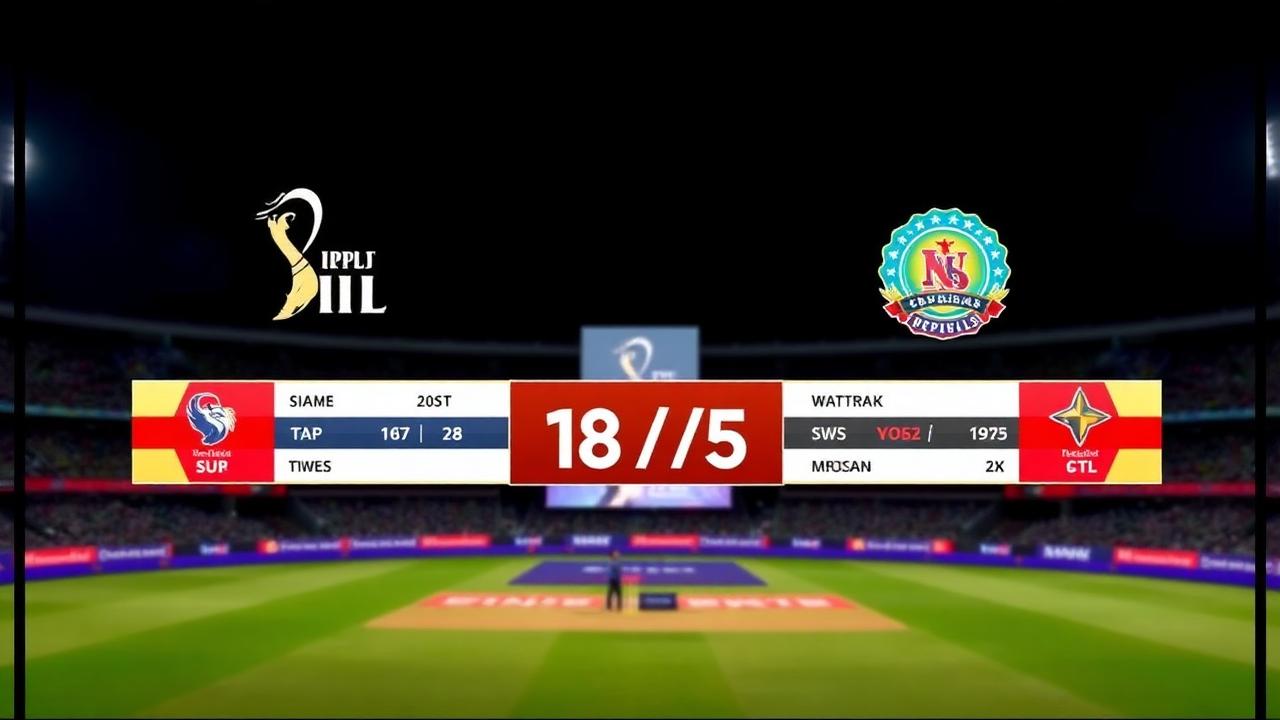
Finding the right live cricket streaming software used to mean buying expensive broadcast hardware, renting satellite uplinks, and hiring dedicated graphics operators. Today, grassroots clubs, school coaches, and local tournament organizers can produce broadcast-quality feeds using accessible digital tools, mobile phones, and free streaming platforms. Whether you are broadcasting tape ball under floodlights or running an official weekend league, modern streaming tools make it possible to deliver ball-by-ball graphics, synchronized commentary, and automated replays to audiences across the globe.
Cricket presents unique broadcasting challenges compared to other sports. A match can last anywhere from ninety minutes in a frantic T10 to several days in a multi-innings format. Scores do not just increment by single points; they track runs, wickets, extras, maiden overs, individual batter strike rates, and bowler economy figures. Because of this complexity, general-purpose live streaming software often falls short. Cricket-specific solutions bridge the gap between digital scorekeeping and visual streaming output.
Quick Answer: What is Live Cricket Streaming Software?
Live cricket streaming software is a specialized application or software suite that combines digital ball-by-ball scorekeeping with real-time video streaming overlays. It sends live video to video platforms such as YouTube, Facebook, or custom RTMP servers while generating dynamic lower-thirds, score tickers, and match summary graphics.
Leading solutions provide:
- Live score overlay generation via browser source inputs (compatible with OBS Studio, vMix, and Streamlabs)
- Mobile-first ball-by-ball scoring that feeds data to the stream in real time
- Cloud synchronization with offline fallback for remote grounds with unstable mobile networks
- Built-in tournament management tools to track tables, player records, and progression
Run & Ball provides a mobile-first, free solution designed specifically for grassroots clubs, regional leagues, and tournament organizers. It handles scoring directly from any smartphone and provides clean broadcast overlays for your live streams without demanding expensive proprietary hardware.
Why Grassroots Cricket Demands Dedicated Live Cricket Streaming Software
Standard video switchers are built around generic graphic templates. Manually editing text fields inside a streaming suite every single delivery—updating runs, strike rotations, bowler changes, and extras—is exhausting and prone to human error. During an intense over where a batter strikes a boundary, followed by a wide, a leg-bye, and a dismissal, a manual graphics operator will almost always fall behind the live action.
Dedicated live cricket streaming software automates graphics by linking your scorer directly to the broadcast layer:
- Instant Graphic Updates: When the digital scorer taps "4 runs," the lower-third score ticker updates instantly on screen.
- Batter Strike Rotation: The software automatically swaps the on-strike batter, tracks balls faced, and computes live strike rates without manual math.
- Extras Accounting: Wides, no-balls, byes, and leg-byes are categorized accurately according to standard ICC official rules and playing conditions.
- Match Summaries on Demand: Generate automated end-of-over screens, fall of wickets cards, and innings break summaries with a single click.
For communities running tape ball, gully cricket, F5, or short-format evening tournaments across South Asia, the Middle East, and beyond, connectivity can be unpredictable. When grounds lack high-speed Wi-Fi, having software that manages local scores offline while maintaining low-bandwidth video feeds ensures your tournament never drops off the grid.
Essential Features of Modern Cricket Streaming Tools
When evaluating software to power your club or tournament broadcasts, prioritize features that reduce manual labor on matchday:
1. Browser Source Broadcast Overlays
The benchmark for modern sports graphics is the HTML/browser source URL. Instead of capturing desktop windows, your scoring tool should provide a lightweight web URL. Dropping this link into OBS Studio, vMix, or Prism Live Studio generates an animated, transparent graphic overlay. Whenever the match status changes on the scorer's phone, the web overlay refreshes instantaneously.
2. Offline-First Digital Scoring
Cricket grounds are often located away from high-density cellular towers. If your stream connection drops or mobile data cuts out in the middle of an innings, the scorer cannot afford to lose match data. Software must save all entries locally on the device, syncing with cloud databases and live web viewers the moment connectivity returns.
3. Comprehensive Tournament Integration
A live stream should not exist in isolation. Viewers want to know what a win means for their club. Integrating match streams with automated league tables, group standings, and Net Run Rate calculations makes regular matches feel like premier competitions. If you are configuring a competitive league stage, review our detailed guide on how NRR works to see how margin of victory impacts qualifications.
4. Player Career Tracking and Public Directories
Broadcasting builds personal visibility for players. Quality streaming platforms generate permanent match scorecards that link each delivery to persistent player profiles. Spectators can explore match archives or browse form across entire seasons by heading directly to the player directory.
5. Multi-Platform RTMP Destinations
Broadcasting software should give you full control over where your signal goes. Whether your audience watches on Facebook Live, YouTube, Twitch, or a private video portal, modern tools support simultaneous destination routing or direct integration with industry-standard encoding software.
Step-by-Step Guide: How to Stream a Cricket Match with Live Score Overlays
Producing a high-quality broadcast does not require a television truck. Follow these steps to stream your next fixture with synchronized scores and graphics:
Step 1: Set Up the Match and Teams
Before stepping onto the pitch, create the fixture inside your digital scoring tool. Enter team rosters, designate wicketkeepers and captains, and establish playing conditions (overs per innings, powerplay limits, wide ball penalties). If you are running an extended multi-day or multi-weekend event, explore how to organize a cricket tournament to configure your bracket correctly.
Step 2: Configure Your Video Source
Select your camera equipment based on your budget:
- Smartphone Camera: Use an Android or iOS device mounted on a sturdy tripod. Stream directly via mobile apps or feed the phone camera into your PC using wireless NDI or USB debugging tools.
- Dedicated Video Camera / Camcorder: Connect an HDMI-out video camera to a laptop using a standard USB-HDMI capture card. Position the camera behind the bowler’s arm at the sight screen end or slightly elevated at mid-wicket for broader pitch coverage.
Step 3: Link the Live Overlay to OBS Studio
- Launch OBS Studio (free and open source) on your streaming laptop.
- Under Sources, click the + button and select Browser.
- Copy the live overlay URL generated by your cricket scoring software (found inside Run & Ball's match streaming settings).
- Paste the URL into OBS, set the dimensions to match your canvas (e.g., 1920x1080), and check the box to shut down the source when inactive.
- The cricket lower-third scoreboard will now display over your camera feed with a transparent background.
Step 4: Run Audio and Pitch Commentary
Field noise provides vital atmosphere, but wind noise can ruin a feed. Attach a shotgun microphone with a furry windscreen (deadcat) pointed toward the pitch, or use a wireless lapel microphone for dedicated commentators sitting behind the boundary rope.
Step 5: Score the Match Ball-by-Ball
Appoint a dedicated scorer stationed with a clear view of the umpire. As the scorer inputs deliveries, boundaries, wickets, and extras into the app, the on-screen graphics in OBS update within milliseconds. Spectators watching from home see identical data to those following live feeds online via our hub to browse all live matches.
For a complete walkthrough covering camera placement, power banks, and equipment safety, read our operational guide on how to live stream a cricket match.
Recommended Hardware Setups for Every Tournament Budget
Every club operates under different resource constraints. You can build an effective streaming workflow at three distinct tiers:
[Smartphone on Tripod] ------> [Run & Ball Mobile App] ------> [Direct RTMP Stream]
                                         OR
[Camcorder / Capture Card] ---> [Laptop running OBS] --------> [YouTube / Facebook]
                                         ^
                                         | (Overlay URL)
                              [Run & Ball Scorer Phone]
1. The Ultra-Lightweight Mobile Setup
- Hardware: One smartphone with a good camera, high-capacity power bank, and tall tripod.
- Workflow: Score from one phone while broadcasting directly through mobile live platforms, using cloud overlays where supported.
- Best for: Casual gully matches, impromptu friendlies, and school practice games.
2. The Club Standard Single-Camera Rig
- Hardware: One laptop, one 1080p camcorder, an HDMI capture card, directional microphone, and scorer's smartphone.
- Workflow: The camera feeds video into OBS on the laptop. The scorer logs every ball on their phone via Run & Ball. OBS pulls the dynamic graphics overlay directly into the feed and streams out to YouTube.
- Best for: Weekend club leagues, regional knockout cups, and corporate tournaments.
3. The Multi-Camera Championship Production
- Hardware: Two to three video cameras (dual sight-screen angles plus mid-wicket commentary camera), video switcher (ATEM Mini or OBS multi-input), dedicated audio board with commentator headsets, and dedicated scoring terminal.
- Workflow: The video director cuts between bowler run-ups, close-up batting angles, and commentary reactions, while the scoring engine supplies dynamic scorecards, player milestones, and graphic pop-ups.
- Best for: Premier club finals, sponsored T20 leagues, and district championships.
Before finalizing matchday logistics, run through our cricket tournament checklist to ensure power backups, weather contingencies, and internet lines are prepared well before the toss.
What Sets Run & Ball Apart for Cricket Streamers?
Run & Ball was engineered to remove the friction that prevents grassroots cricket from receiving first-class media coverage. It directly solves the pain points of community organizers:
- Completely Free to Start: Score matches, build brackets, and generate streaming overlays without per-match setup fees or mandatory premium subscriptions.
- Tailored for Shorter Formats: While standard tools prioritize long-format matches, Run & Ball is native to tape ball, T10, T20, and F5 setups common across local sports communities.
- Robust Offline Scoring: Never lose match momentum due to momentary tower drops; matches sync safely as soon as the scorer reconnects.
- Shareable Digital Assets: In addition to live video overlays, the platform automatically produces social match summaries, score cards, and digital posters for social media.
- Built-in League Management: Seamlessly transition from individual game streaming to structured competitions. You can start a free tournament in minutes, complete with automated scheduling and standings.
To explore deeper insights into broadcast software, hardware recommendations, and overlay architecture, review our specialized coverage:
- Cricket Broadcast Software
- Cricket Streaming Platform
- Cricket Score Overlay Software
- Cricket Live Stream Scoreboard
- Cricket Match Broadcast Tools
For historical context on how digital scoring evolved from physical book keeping, explore the statistical archives on ESPNcricinfo statistics & records and the broader history of the game documented on Cricket on Wikipedia. Bringing modern broadcast tools to everyday players honors the spirit of the sport and gives every player their moment in the spotlight.
Chennai Chargers
84/3
Overs 9.0 · CRR 9.33
Target 165
Need 81 in 66 balls
RRR 7.36
Manage your next cricket tournament with Run & Ball
- Live ball-by-ball scoring
- Auto fixtures & points table
- Player & team stats
- Free forever
People also ask
Reader comments(0)

Ready to run your next cricket tournament?
Score matches ball-by-ball, run fixtures, points tables and playoffs, and stream to OBS — all free from one phone.
Related articles
- Live Scoring & Streaming
Live Cricket Scoring Software — Free Tool & Guide | Run & Ball
Live Cricket Scoring Software: how Run & Ball gives you a free, mobile-first live cricket scoring software for clubs, schools, academies and local cricket leagues.
- Live Scoring & Streaming
Cricket Live Score App — Free Tool & Guide | Run & Ball
Cricket Live Score App: how Run & Ball gives you a free, mobile-first cricket live score app for clubs, schools, academies and local cricket leagues.
- Live Scoring & Streaming
Cricket Broadcast Software — Free Tool & Guide | Run & Ball
Cricket Broadcast Software: how Run & Ball gives you a free, mobile-first cricket broadcast software for clubs, schools, academies and local cricket leagues.
- Live Scoring & Streaming
Cricket Streaming Platform — Free Tool & Guide | Run & Ball
Cricket Streaming Platform: how Run & Ball gives you a free, mobile-first cricket streaming platform for clubs, schools, academies and local cricket leagues.
- Live Scoring & Streaming
Cricket Live Match Tracking — Free Tool & Guide | Run & Ball
Cricket Live Match Tracking: how Run & Ball gives you a free, mobile-first cricket live match tracking for clubs, schools, academies and local cricket leagues.
- Live Scoring & Streaming
Cricket Score Overlay Software — Free Tool & Guide | Run & Ball
Cricket Score Overlay Software: how Run & Ball gives you a free, mobile-first cricket score overlay software for clubs, schools, academies and local cricket leagues.