Table of contents
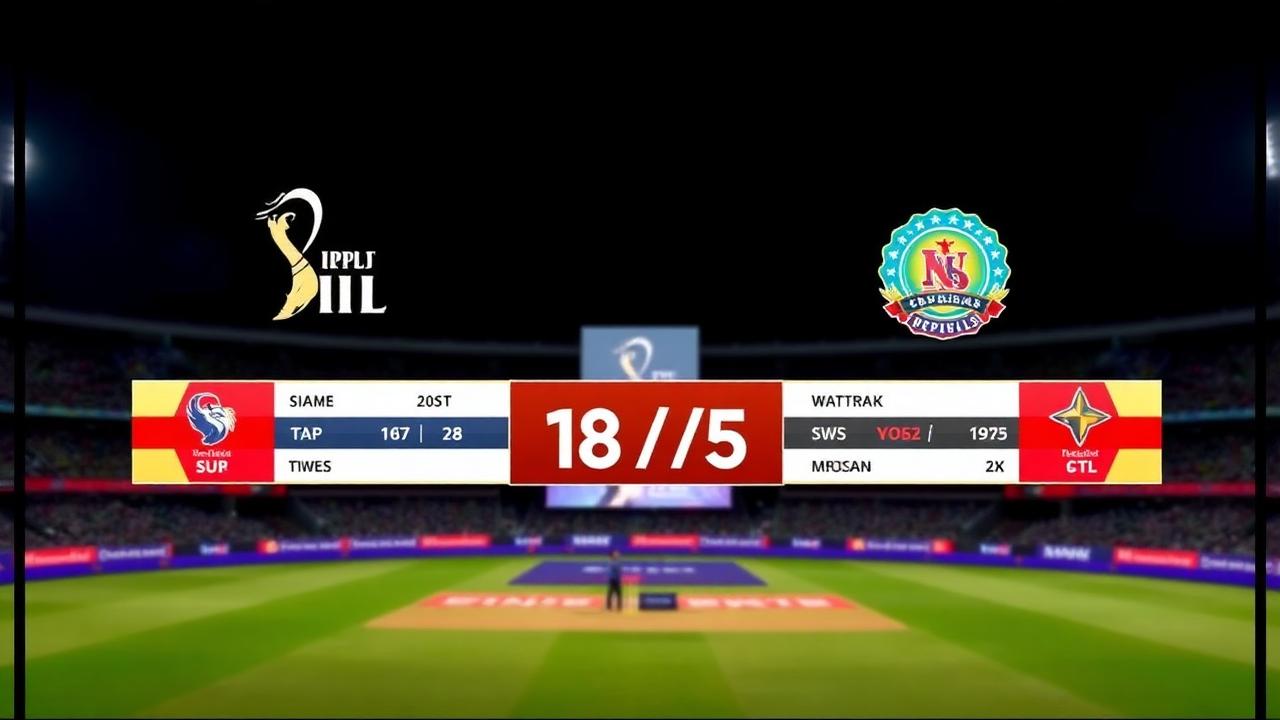
Producing a high-quality match feed no longer requires a production van, expensive hardware switchers, or a dedicated television crew. Today, modern cricket broadcast software connects digital scorekeeping directly to real-time broadcast graphics, allowing clubs, tournament organisers, and community leagues to output professional-grade livestreams using standard consumer hardware. Whether streaming a weekend league fixture or an intense neighborhood tape-ball tournament, having the right software pipeline ensures your audience receives instant ball-by-ball updates, sleek visual overlays, and reliable match data.
Quick Answer: What Is Cricket Broadcast Software?
Cricket broadcast software is a digital tool or ecosystem that captures ball-by-ball scoring data and converts it instantly into visual graphic overlays (such as score bugs, lower thirds, player stat cards, and match summary screens) for live video streams.
Rather than manually updating graphic titles every time a boundary is struck or a wicket falls, the software automatically synchronises your scorer’s inputs with broadcasting suites like OBS Studio, vMix, or Prism Live Studio. The result is an automated, TV-style broadcast that can be streamed directly to platforms like YouTube, Facebook, or dedicated match portals without latency or manual graphic errors.
Why Grassroots and League Matches Need Modern Broadcast Tools
Until recently, broadcasting grassroots cricket was notoriously difficult. Scorers maintained physical scorebooks, while streaming operators used basic video cameras and static text fields that had to be manually edited in software like Photoshop or OBS after every delivery. In fast-paced games—particularly T20, T10, or tape-ball fixtures—the video feed quickly fell behind real-time action.
Adopting an integrated broadcast platform changes that equation completely:
- Instant data synchronisation: When the digital scorer enters a single, a wide, or a wicket, the broadcast overlay updates within milliseconds across the stream.
- Zero operator fatigue: Stream operators do not have to touch scoring graphics during play, allowing them to focus entirely on camera angles, audio levels, and replays.
- Enhanced viewer engagement: Audiences expect the visual language of professional television. Dynamic run rate counters, target summaries, and batter strike rates keep spectators engaged far longer than a raw video feed.
- Complete post-match utility: Because scoring drives the graphics, match highlights, player scorecards, and tournament tables update simultaneously as the final ball is bowled.
Essential Features in Dedicated Cricket Broadcast Software
Not all streaming software is designed to handle the complex nuances of cricket. A standard scoreboard application built for football or basketball cannot handle extra deliveries, strike rotation, bowling spells, or changing target calculations. When evaluating software for your league, prioritize the following core capabilities:
Dynamic Browser Source Overlays
The gold standard for modern broadcast graphics is the browser source overlay. Instead of running dedicated SDI or NDI graphic cards, the scoring tool generates a lightweight, transparent URL. When added as a browser source inside OBS Studio or vMix, it renders graphics directly on top of your video layer. Look for software that provides clean, modern overlay packages including:
- Compact score bugs: Minimalist lower or upper screen banners displaying runs, wickets, overs, current batter scores, and bowler figures without obstructing the pitch.
- Contextual lower thirds: Automated pop-ups displaying milestone achievements (such as a batter reaching 50 runs or a bowler taking a three-wicket haul).
- Match situation cards: Automated graphics for innings breaks, target equations, required run rates, and projected scores.
Flexible Match Formats and Rule Adaptability
Cricket is played in dozens of variations across the world. A rigid platform designed exclusively for 50-over red-ball cricket will fail when deployed for street, gully, or festival matches. Your broadcast software must easily handle:
- Traditional formats (Test, multi-day, One Day, and T20 matches).
- Fast-paced short formats (T10, Super 8s, F5, and Hong Kong Sixes).
- Custom tape-ball ground rules, including limited-player matches, variable over lengths, and tailored extra runs.
Offline Reliability with Instant Cloud Syncing
Local grounds, rural fields, and urban parks frequently suffer from patchy cellular coverage. If a broadcast platform relies purely on continuous high-speed internet to score, a brief network drop will break the entire scoring engine. Software that operates offline locally on a mobile device and pushes data up to graphic servers whenever connectivity blips resolve guarantees your tournament continues uninterrupted.
How to Set Up a Cricket Broadcast: A Practical Step-by-Step Guide
Setting up your production does not require expensive training. Here is a practical workflow to transition from an empty field to an automated, live-streamed cricket broadcast using Run & Ball and standard streaming software.
Step 1: Set Up Match Rosters and Tournaments
Begin by configuring your tournament structure and match fixtures. Within Run & Ball, you can set up round-robin groups, knockout brackets, or double-elimination schedules.
- Input team rosters and assign player profiles.
- Define format rules: overs per innings, maximum overs per bowler, wide/no-ball values, and powerplay overs.
- If you are running an extended multi-week championship, review our guide on how to organize a cricket tournament to ensure your scheduling and fixture balance are airtight.
Step 2: Establish the Physical Camera Setup
Your video production can scale based on your budget:
- Entry-level mobile setup: Mount a smartphone with a clean HDMI output or high-resolution camera sensor on a sturdy tripod at mid-wicket or straight behind the bowler's arm.
- Club-level semi-pro setup: Use one or two mirrorless cameras or camcorders connected via USB capture cards into a production laptop running OBS Studio.
- Ensure audio is picked up via directional microphones or wireless lapels near the pitch or commentary area to bring viewers the authentic crack of the bat. For a comprehensive equipment breakdown, consult our tutorial on how to live stream a cricket match.
Step 3: Integrate the Live Scoreboard Overlay
Open your streaming software (such as OBS Studio) on your production computer:
- Navigate to the Run & Ball match management dashboard and locate the Broadcast Overlay URL.
- In OBS Studio, click the `+` button in the Sources panel and select Browser.
- Name the source (e.g., "Cricket Score Bug") and paste your overlay URL.
- Set the dimensions to your stream output (typically 1920x1080).
- Ensure the browser source sits above your main camera feed in the source list. The scoreboard overlay will instantly appear transparently over your live camera feed.
Step 4: Score the Match in Real Time
Hand a mobile device or tablet to your official scorer:
- As the match begins, the scorer enters the bowler and facing batters.
- Every ball is scored with a single tap (0, 1, 2, 4, 6, W, or extras).
- The moment the scorer inputs a ball, the graphics layer inside OBS automatically refreshes. The strike changes automatically, the over ticker advances, and individual bowling figures calculate instantaneously.
- If a mistake is made, hitting the undo button immediately rectifies both the internal scorebook and the viewer-facing graphic.
Step 5: Broadcast to the World and Share Live Links
Push your video live to your team's YouTube channel or social pages. Simultaneously, share the dedicated live match page with fans who cannot watch the video feed. Viewers who lack the bandwidth to stream high-definition video can track delivery-by-delivery commentary, ball pitch maps, and wagon wheels directly from their phones by following through the public match hub.
Advanced Broadcast Workflows: From Graphics to Analytics
Professional broadcasts stand out because of the context they provide. Modern software pipelines allow amateur productions to incorporate broadcast techniques once reserved for top-tier television networks.
Automated Tournament Standing and NRR Calculations
In tournament settings, viewers constantly want to know what a boundary means for qualification. High-level broadcast software updates tournament ladders in real time. Rather than waiting hours after a match for administrators to publish spreadsheets, points tables recalculate the instant the winning run is struck. To better understand how tiebreaks and margins are processed programmatically, see our breakdown on how to calculate net run rate.
Real-Time Player Directory Integration
Broadcasting becomes far more compelling when viewers can see a player’s broader context. When an opening bowler steps up, modern overlays can pull career averages, economy rates, and past performances. Having an integrated system that links live match scoring to an extensive player directory elevates a local livestream into a polished scouting showcase.
Pre-Match Checklists and Redundancy
Even the best software can be compromised by poor ground logistics. Experienced stream directors always run through a rigorous checklist before the toss:
- Confirm camera batteries and external power banks are fully charged.
- Test cellular upload speeds using dual-SIM or bonded connections.
- Ensure the scorer’s mobile device is protected from direct sunlight to prevent thermal shutdown.
- Validate audio-video synchronization so bat contact aligns perfectly with sound.
- Use a structured cricket tournament checklist to verify administrative and ground readiness before opening the stream.
Why Run & Ball Is Built for Today’s Cricket Broadcasters
Traditional broadcast platforms were built for broadcast trucks and massive desktop workstations. Run & Ball approaches cricket broadcasting from the ground up, recognizing that modern matches happen everywhere from suburban turf clubs to concrete parking lots.
- Frictionless browser delivery: Run & Ball runs directly in standard mobile and desktop browsers, requiring no heavy client downloads or complex licenses to manage.
- Built for every format: Whether you are staging an international-standard league fixture or a neighborhood tape-ball cup with bespoke rules, our scoring engine adapts without restriction.
- Community-first distribution: Fans do not need specialized hardware to stay connected. You can monitor all matches currently underway across clubs worldwide directly via our live match directory.
- Tournaments made simple: Launch, manage, and broadcast multi-division leagues without per-match scoring fees by setting up your brackets inside tournaments.
Broadcasting cricket should not be limited by hardware costs or operational complexity. By combining modern digital scoring with automated graphic overlays, any cricket enthusiast can deliver crisp, professional, and reliable match streams to a global audience.
Professional Cricket References
For a comprehensive review of official playing rules, regulations, and historical statistics that govern broadcast data models, consult these established cricket resources:
- ICC official rules and playing conditions — Global standard rules for multi-day, ODI, and T20 cricket.
- ESPNcricinfo statistics & records — The historic record of professional cricket data architecture and record tracking.
- Cricket on Wikipedia — An overview of cricket rules, terminology, and historical developments.
Exploring Cricket Broadcast and Streaming Tools
To dive deeper into setting up your streaming workstation, choosing graphic packages, and optimizing camera hardware, explore our dedicated guides:
- Live Cricket Streaming Software — A full breakdown of streaming encoders, capture cards, and software tools.
- Cricket Streaming Platform — How to pick the best digital home to host and distribute your league broadcasts.
- Cricket Score Overlay Software — Designing clean, high-visibility score bugs and lower thirds for video feeds.
- Cricket Live Stream Scoreboard — How to display clear, responsive digital scoreboards for your viewers.
- Cricket Match Broadcast Tools — Essential hardware and software gear lists for community cricket productions.
Chennai Chargers
84/3
Overs 9.0 · CRR 9.33
Target 165
Need 81 in 66 balls
RRR 7.36
Manage your next cricket tournament with Run & Ball
- Live ball-by-ball scoring
- Auto fixtures & points table
- Player & team stats
- Free forever
People also ask
Reader comments(0)

Ready to run your next cricket tournament?
Score matches ball-by-ball, run fixtures, points tables and playoffs, and stream to OBS — all free from one phone.
Related articles
- Live Scoring & Streaming
Live Cricket Scoring Software — Free Tool & Guide | Run & Ball
Live Cricket Scoring Software: how Run & Ball gives you a free, mobile-first live cricket scoring software for clubs, schools, academies and local cricket leagues.
- Live Scoring & Streaming
Cricket Live Score App — Free Tool & Guide | Run & Ball
Cricket Live Score App: how Run & Ball gives you a free, mobile-first cricket live score app for clubs, schools, academies and local cricket leagues.
- Live Scoring & Streaming
Live Cricket Streaming Software — Free Tool & Guide | Run & Ball
Live Cricket Streaming Software: how Run & Ball gives you a free, mobile-first live cricket streaming software for clubs, schools, academies and local cricket leagues.
- Live Scoring & Streaming
Cricket Streaming Platform — Free Tool & Guide | Run & Ball
Cricket Streaming Platform: how Run & Ball gives you a free, mobile-first cricket streaming platform for clubs, schools, academies and local cricket leagues.
- Live Scoring & Streaming
Cricket Live Match Tracking — Free Tool & Guide | Run & Ball
Cricket Live Match Tracking: how Run & Ball gives you a free, mobile-first cricket live match tracking for clubs, schools, academies and local cricket leagues.
- Live Scoring & Streaming
Cricket Score Overlay Software — Free Tool & Guide | Run & Ball
Cricket Score Overlay Software: how Run & Ball gives you a free, mobile-first cricket score overlay software for clubs, schools, academies and local cricket leagues.