Table of contents
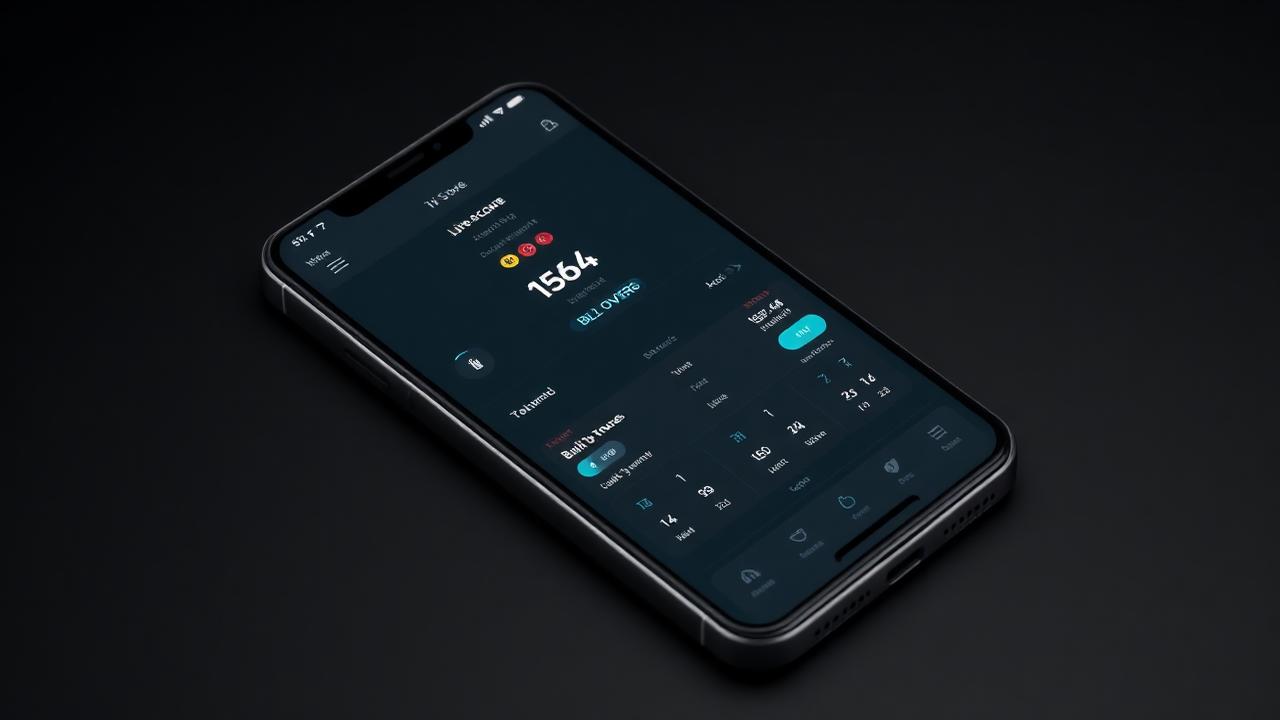
Managing athletic fixtures across a busy academic calendar requires tools that simplify administrative work without sacrificing accuracy, which is why choosing the right cricket scoring software for schools has become an essential priority for modern sports departments. Between coaching junior age groups, coordinating inter-school derbies, and running annual house tournaments, physical education staff rarely have time to balance manual paper scorebooks and reconcile conflicting tally marks.
Run & Ball provides school coaches, physical education teachers, and student volunteers with an intuitive digital scoring platform built for real-world school conditions. Whether your school plays traditional red-ball fixtures, quick-fire T10 inter-house games, or tape-ball tournaments on synthetic turf, digital scoring centralises scorekeeping, saves coaching time, and connects your school community with live updates.
Quick answer: What should schools look for in cricket scoring software?
The ideal cricket scoring software for schools must work reliably without an internet connection, cost nothing to operate, and be intuitive enough for a student scorer to master in minutes.
It should handle modified school playing conditions (such as limited over rules, varied bowler restrictions, and extras), automate league tables with instant Net Run Rate calculations, and generate shareable links so parents, teachers, and alumni can follow matches live from any web browser. Run & Ball offers these capabilities in a mobile-first, free interface that requires no expensive hardware or specialist installation.
Why schools are moving away from traditional paper scorebooks
For generations, school cricket has relied on spiral-bound paper scorebooks. While traditional books carry a nostalgic charm, they present persistent administrative challenges for physical education departments and volunteer coaches.
Eliminating arithmetic errors on the boundary
Junior cricket can be chaotic on the boundary line. Wide balls, no-balls with free hits, re-bowled deliveries in final overs, and rotating batting pairs create dozens of opportunities for mathematical errors. A single missed bye or miscounted over can alter the outcome of a tightly contested inter-school fixture.
Digital scoring software validates every delivery in real time. The scorer taps the run outcome, and the software automatically credits the batter, debits the bowler, tallies team extras, and advances the over counter. If a mistake happens, an undo button rectifies the error immediately without requiring messy pencil erasures.
Saving staff and volunteer time
After an afternoon fixture, a cricket master or sports coordinator often spends an hour transferring figures from paper scorebooks into school newsletters, departmental spreadsheets, and regional sports association portals. Digital scoring compiles ball-by-ball data, batting strike rates, bowling economies, and match results instantly. The moment the final wicket falls or the target is reached, the full scorecard is archived and exportable.
Involving parents and the broader school community
Parents cannot always attend every mid-week away fixture. Traditional scorekeeping leaves working families waiting for an evening text message or end-of-week newsletter update. By using a live cricket scoring app, schools can publish an automated live link. Parents, fellow students, and travelling alumni can follow ball-by-ball progress, view falling wickets, and track the run chase on their phones from wherever they are.
Essential features of cricket scoring software for schools
Not all cricket software fits an academic setting. Many legacy tools are designed exclusively for senior weekend league cricket, featuring complex interfaces that require accredited professional scorers. Schools need software tailored to fast turnarounds and flexible age-group rules.
1. Reliable offline scoring
School sports grounds, rural playing fields, and distant pavilion benches often suffer from weak cellular reception or non-existent Wi-Fi. If an app depends on an uninterrupted cloud connection, scoring will crash mid-over.
Run & Ball operates offline-first. A coach or student can score an entire 20-over or 40-over fixture without an active data connection. Once the device reconnects to a school Wi-Fi network or cellular data, the match details sync seamlessly to the cloud.
2. Flexible match formats and junior conditions
School cricket spans a wide range of formats:
- Primary and middle school introductory games (Pairs cricket, 8-ball overs, or fixed-over batting blocks)
- Inter-house lunch-break matches (T10, F5, or tape-ball variations)
- First XI inter-school traditional matches (T20, 40-over, or multi-day hardball matches)
Your scoring platform must allow coaches to customise overs per bowler, wide and no-ball penalty values, and innings lengths before the toss.
3. Automated tournament tables and NRR
School fixtures frequently feed into seasonal leagues, weekend carnivals, or house cups. Manually calculating standings across multiple pools consumes valuable teaching time.
Digital tools automatically rank teams based on points, wins, and Net Run Rate. To understand how run rate differentials are factored into tournament standings, read our complete guide on how NRR works.
4. Player development and season-long profiles
School athletic programs focus heavily on student development. Tracking player metrics across an academic term gives coaches genuine data to assess improvement:
- Batting averages, strike rates, and boundary percentages
- Bowling dot-ball percentages, economy rates, and wicket distributions
- Fielding dismissals, catches, and run-outs
Having accumulated records in a central player directory helps coaches select balanced squads and recognize student achievements during school sports assemblies.
5. Multi-platform access with zero hardware investment
School sports budgets should be spent on quality protective equipment, turf maintenance, and coaching staff—not expensive handheld scoring consoles. Software should run cleanly on any modern iOS or Android smartphone, tablet, or web browser.
Step-by-step: How to score a school cricket match
Getting your school set up with digital scoring takes only a few minutes. Here is the operational workflow recommended for sports staff and student scorers.
+-------------------------------------------------------+
|  1. Pre-Match Setup                                   |
|     - Add rosters & player names                      |
|     - Configure overs, bowler limits, & extras rules  |
+-------------------------------------------------------+
                           |
                           v
+-------------------------------------------------------+
|  2. The Toss & Match Start                            |
|     - Record toss winner and election                 |
|     - Select opening batters and bowler               |
+-------------------------------------------------------+
                           |
                           v
+-------------------------------------------------------+
|  3. Ball-by-Ball Boundary Scoring                     |
|     - One-tap scoring (runs, dots, wickets, extras)   |
|     - Instant undo for quick corrections              |
|     - Works completely offline if Wi-Fi drops         |
+-------------------------------------------------------+
                           |
                           v
+-------------------------------------------------------+
|  4. Live Community Sharing                            |
|     - Share public link with parents & faculty        |
|     - Live feed updates scores automatically          |
+-------------------------------------------------------+
                           |
                           v
+-------------------------------------------------------+
|  5. Post-Match & Tournament Archiving                 |
|     - Export complete digital scorecard               |
|     - Standings and player stats update instantly     |
+-------------------------------------------------------+
Step 1: Set up your school teams and player rosters
Open Run & Ball on your phone, tablet, or laptop. Create your school team profile (for example, "Under-15 A" or "Red House XI"). You can paste player rosters directly into the system, quickly populating student names and shirt numbers.
Step 2: Set match parameters
Configure the match specifications according to your school league rules:
- Format (T20, T10, custom overs)
- Overs per bowler limit (e.g., maximum 4 overs in a 20-over match)
- Extras handling (runs awarded for wides and no-balls)
- Ball type (hardball, tennis ball, or tape ball)
Step 3: Record the toss and begin ball-by-ball scoring
Select which captain won the toss and whether they chose to bat or bowl. Nominate the striker, non-striker, and opening bowler.
Scoring each ball requires a single tap:
- Tap numbers `0` through `6` for runs off the bat.
- Tap dedicated buttons for `Wide`, `No Ball`, `Leg Bye`, or `Bye`.
- For dismissals, tap `Wicket`, select the dismissal type (bowled, caught, run out, LBW, stumped), and assign the fielder if applicable.
- Use the instant `Undo` button if a student scorer accidentally records an incorrect outcome.
Step 4: Share the live match link
Copy the automatically generated match link and distribute it via your school's sports portal, parent messaging group, or social channels. Anyone with the link can follow live boundary-side action without needing an account.
Step 5: Conclude the match and archive results
Once the match concludes, the software finalises the result (e.g., "Green House won by 4 wickets"). The full scorecard is permanently stored, stats are added to each student's career log, and tournament tables update instantly.
Managing inter-house leagues and multi-school tournaments
Organizing a multi-team school event involves complex scheduling and logistics. Whether you are running a weekend primary school festival or a term-long inter-house league, dedicated software handles the organizational strain.
- Brackets and fixtures: Automatically generate round-robin schedules, single elimination knockouts, or group stages leading to finals.
- Fair competition: Digital tables prevent disputes regarding Net Run Rate or tie-breaker rules between rival houses.
- Logistics planning: For a detailed breakdown of planning school fixtures, see our guide on how to organize a cricket tournament along with our practical cricket tournament checklist.
If your sports department coordinates multi-team events, you can start a free tournament → to build your competition draw in minutes.
Live streaming school matches with digital broadcast overlays
Schools are increasingly broadcasting sports finals, homecoming matches, and rival fixtures to showcase their sports programs. Modern scoring software makes professional-grade broadcasting accessible without expensive production trucks.
Using Run & Ball's real-time digital scoring engine, you can push dynamic score bugs and graphics directly onto live streams:
- Display lower-third graphics showing current batter scores, bowler figures, and required run rates.
- Stream directly to YouTube, Facebook, or Twitch using phone cameras or OBS (Open Broadcaster Software).
- Provide remote parents and alumni overseas with high-definition match views accompanied by automated live graphics.
To learn how simple it is to broadcast a school fixture with a single smartphone, check out our guide on how to live stream a cricket match.
Teaching students cricket scoring as part of the curriculum
Involving non-playing students in scoring is a proven way to teach cricket strategy, statistics, and sports management. When using modern cricket scoreboard software, students quickly grasp the relationship between dot balls, strike rotation, and run rate pressure.
Tips for training student scorers:
- Pair students up: Have one student spot the umpire’s signals while the other inputs the data into the app.
- Use practice sessions: Run a 3-over simulation during physical education class or net sessions to familiarise students with boundaries and extra buttons.
- Assign boundary tablets: Designate a school tablet for boundary duties, keeping personal student phones away from the scorer's table during matches.
Summary of Run & Ball features for schools
| Feature | Paper Scorebook | Traditional League Software | Run & Ball |
|---|---|---|---|
| :--- | :--- | :--- | :--- |
| Cost | Scorebook purchase fees | Expensive annual subscriptions | 100% Free |
| Offline Mode | Yes | Often requires continuous Wi-Fi | Works fully offline; syncs later |
| Parent Live Link | No | Complicated logins required | Instant web link; no app required for parents |
| Custom Match Formats | Manual adjustment | Rigid league rules only | Highly flexible (T10, T20, tape ball, custom) |
| Broadcast Overlays | No | High-cost add-on module | Built-in streaming overlays |
| Automatic NRR | Manual calculation | Yes | Instant automated tables |
Moving your physical education department to modern digital tools eliminates administrative headaches, improves scoring accuracy, and brings your school cricket community closer together.
To explore matches currently being scored across different formats, browse all live matches or open the player directory to see how individual statistics look in practice.
Explore more cricket scoring resources
- Cricket Scoring App
- Best Cricket Scoring App
- Live Cricket Scoring App
- Online Cricket Scoreboard
- Cricket Scoreboard Software
- Official international match guidelines: ICC official rules and playing conditions
- Historical cricket statistics: ESPNcricinfo statistics & records
- General cricket history and rules: Cricket on Wikipedia
Chennai Chargers
84/3
Overs 9.0 · CRR 9.33
Target 165
Need 81 in 66 balls
RRR 7.36
Free tournament templates
CSV templates you can open in Excel, Google Sheets or Numbers. Ready-made for round-robin fixtures, points tables with NRR, scorecards and roster sheets.
Manage your next cricket tournament with Run & Ball
- Live ball-by-ball scoring
- Auto fixtures & points table
- Player & team stats
- Free forever
People also ask
Reader comments(0)

Ready to run your next cricket tournament?
Score matches ball-by-ball, run fixtures, points tables and playoffs, and stream to OBS — all free from one phone.
Related articles
- Cricket Scoring
The Best Free Cricket Scoring App for 2026
Run & Ball is the free cricket scoring app trusted by tape-ball, club and tournament scorers across Pakistan, India and the UK.
- Cricket Scoring
Best Cricket Scoring App (2026) — Free & Reviewed | Run & Ball
Best Cricket Scoring App in 2026: features, pricing, free options and what actually works for clubs, schools, academies and local leagues.
- Cricket Scoring
Live Cricket Scoring App — Free Tool & Guide | Run & Ball
Live Cricket Scoring App: how Run & Ball gives you a free, mobile-first live cricket scoring app for clubs, schools, academies and local cricket leagues.
- Cricket Scoring
Online Cricket Scoreboard — Free Tool & Guide | Run & Ball
Online Cricket Scoreboard: how Run & Ball gives you a free, mobile-first online cricket scoreboard for clubs, schools, academies and local cricket leagues.
- Cricket Scoring
Cricket Scoreboard Software — Free Tool & Guide | Run & Ball
Cricket Scoreboard Software: how Run & Ball gives you a free, mobile-first cricket scoreboard software for clubs, schools, academies and local cricket leagues.
- Cricket Scoring
Digital Cricket Scoreboard — Free Tool & Guide | Run & Ball
Digital Cricket Scoreboard: how Run & Ball gives you a free, mobile-first digital cricket scoreboard for clubs, schools, academies and local cricket leagues.