Table of contents
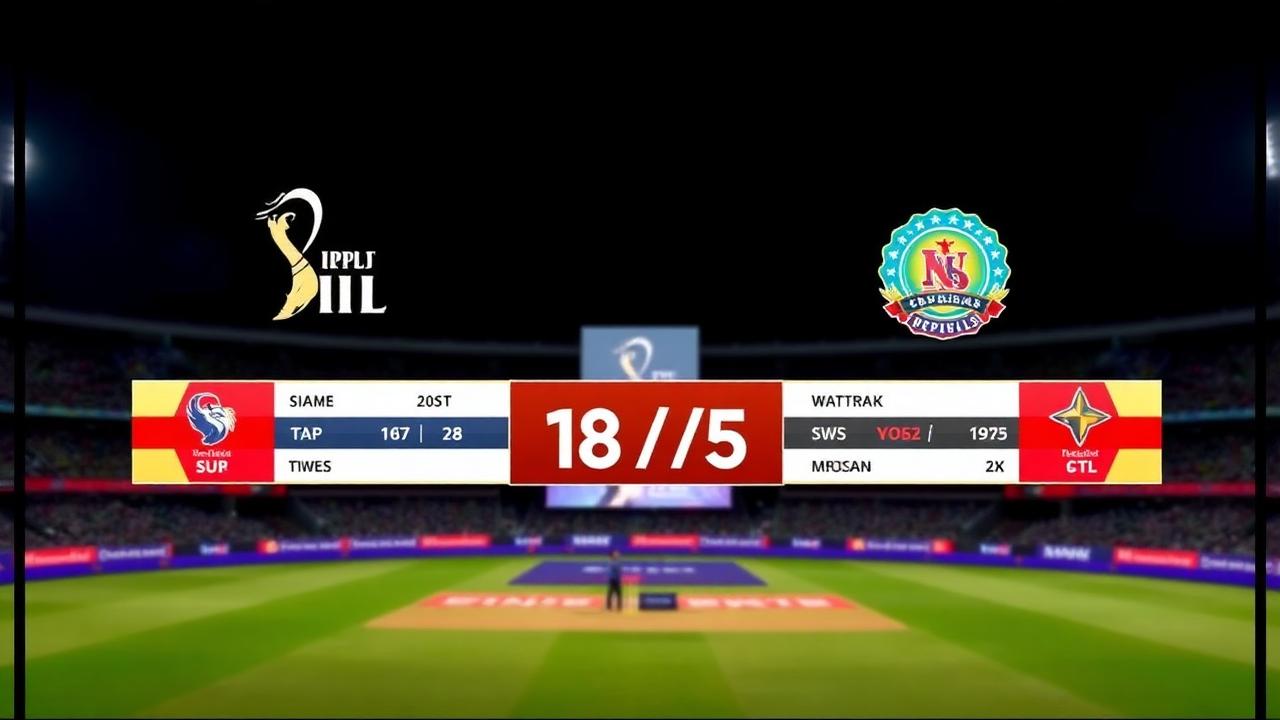
A reliable cricket live stream scoreboard elevates a basic video feed into a television-style broadcast. Whether you run a community tournament in Mumbai, an evening tape-ball match in Karachi, or a club league in Dubai, viewers expect real-time scores, strike indicators, and bowling figures on screen. Modern scoring applications generate dynamic broadcast graphics directly from ball-by-ball updates, eliminating the need for expensive hardware switchers or production teams.
Run & Ball provides a modern cricket scoring engine with dynamic browser-source overlays tailored for local clubs, grassroots organizers, and broadcast operators.
Quick Answer: What Is a Cricket Live Stream Scoreboard?
A cricket live stream scoreboard is a real-time digital overlay integrated into streaming software like OBS Studio, vMix, or Prism Live Studio. When a scorer updates a delivery on a phone or laptop, the broadcast overlay updates automatically on the live stream.
Key elements of this setup include:
- A digital scoring application that records deliveries, extras, wickets, and player stats.
- A graphic overlay engine that converts scoring data into clean, transparent HTML browser sources.
- An encoder (such as OBS Studio) that layers the dynamic scoreboard over a live camera feed.
- Streaming destinations such as YouTube Live, Facebook Live, or Twitch.
---
Understanding the Modern Cricket Live Stream Scoreboard
In traditional television broadcasting, generating on-screen score bugs requires dedicated character generator (CG) hardware, video switchers, and graphics operators. Grassroots leagues, school competitions, and local tournaments cannot justify that complexity or expense.
A web-powered live stream scoreboard replaces dedicated hardware with browser sources. As the digital scorer inputs a wide, boundary, or wicket on their mobile interface, the cloud database updates. That database triggers an immediate render change on a browser graphic overlaid on top of your camera feed.
This workflow lowers production barriers for non-professional broadcasters. It ensures that local cricket receives the same visual polish as international matches, giving players professional visibility and keeping online audiences engaged.
---
How a Live Stream Scoreboard Overlay Works
The architecture relies on three interconnected components: the scoring engine, the graphics renderer, and the streaming encoder.
[Scorer's Mobile App]
        │ (Ball-by-ball input)
        ▼
 [Cloud Database]
        │ (Instant data push)
        ▼
[Browser Overlay URL] ──► [OBS Studio / vMix] ──► [YouTube / Facebook]
                               ▲
(Camera Feed)- The Scoring Engine: A scorer tracks the match ball by ball on a mobile device or laptop. The app calculates totals, extras, strike rotation, partnership records, and bowler economy rates.
- The Graphics Renderer: The system creates a dedicated, transparent URL (often called a Browser Source). This web page receives data updates in real time and renders styled television graphics—such as the lower-third score ticker or full-frame scorecard.
- The Streaming Encoder: Software like OBS Studio pulls the video feed from your camera (or smartphone) and layers the browser source URL on top. The composite video is then pushed to your streaming platform.
To explore the wider software landscape for match production, read our guide on Live Cricket Streaming Software and learn about dedicated Cricket Broadcast Software options.
---
Step-by-Step: How to Set Up a Cricket Live Stream Scoreboard
Setting up your on-screen scoreboard takes only a few minutes once your camera and computer are ready. Follow these steps to configure your broadcast.
Step 1: Create the Match and Set Up Teams
Open Run & Ball on your browser or mobile phone. Set up your match details, including the format (T20, T10, 100-ball, F5, or custom over limits). Add team rosters and assign openers and starting bowlers. If you are handling a multi-stage event, refer to our Cricket tournament checklist to make sure team sheets and playing conditions are finalized.
Step 2: Generate the Stream Overlay Link
Inside the match dashboard, open the streaming or broadcast tab. The platform generates unique overlay URLs for various screen graphics:
- Lower-third score ticker (persistent during play)
- Batsman and bowler summary cards
- Full-frame innings scorecard
- Boundary and wicket alerts
Copy the primary lower-third overlay URL to your clipboard.
Step 3: Configure OBS Studio or Your Preferred Encoder
- Launch OBS Studio on your production laptop.
- Under the Sources panel, click the + (Add) button and select Browser.
- Name the source (for example, "Cricket Scoreboard").
- Paste your copied overlay URL into the URL field.
- Set the width and height to match your canvas (standard: 1920 width, 1080 height).
- Check the box for Shutdown source when not visible and Refresh browser when scene becomes active.
- Click OK. The transparent graphic will appear over your video layer.
Step 4: Position and Align Your Camera Feed
Add your video capture device (camcorder, mirrorless camera, capture card, or smartphone webcam feed) to the Sources list, placing it below the Browser Source. Position the scoreboard along the lower margin of the screen so it does not obstruct the pitch or the umpire's signals.
Step 5: Test Real-Time Synchronization
Score a test ball (such as a single or a dot ball) on your scoring device. Confirm that the scoreboard graphic in OBS updates immediately. Verify that the batter on strike rotates correctly and the bowler’s figures reflect the delivery. Once verified, undo the test delivery, start your stream, and begin play.
For complete field workflows, review our guide on How to live stream a cricket match.
---
Essential Elements of a Professional Cricket Broadcast Graphic
An effective scoreboard displays vital match context without cluttering the screen. When broadcasting competitive cricket, your overlay should display these core data points:
- Total Score and Wickets: Displayed clearly (e.g., `142/3`) alongside the current over and ball count (e.g., `16.4`).
- Batter Information: Names of both active batters, indicating who is on strike, their current runs, and balls faced.
- Bowler Details: The current bowler's name, overs bowled, runs conceded, and wickets taken.
- Target and Run Rates: For run chases, show the target score, required run rate (RRR), and current run rate (CRR).
- Match Context: Tournament name, stage (e.g., Semi-Final), and team abbreviations.
- Visual Triggers: Animated lower-third banners for boundaries (FOUR, SIX), wickets, no-balls, and free hits.
Using purpose-built Cricket Score Overlay Software ensures these elements update automatically based on match events without requiring manual graphic swaps.
---
Solving Grassroots Streaming Challenges
Broadcasting outside top-tier stadiums introduces field challenges such as unstable internet connections, extreme heat, and unique match formats.
Managing Poor or Intermittent Internet
Club grounds and community parks often lack high-speed Wi-Fi. Broadcasters rely on mobile hotspots, which can fluctuate in bandwidth.
Run & Ball uses an offline-first mobile architecture. If your field scorer temporarily loses cellular coverage, the application continues to record every delivery locally. Once connectivity returns, the scoring data synchronizes with the cloud, updating the stream overlay and online match page without losing balls or player statistics.
Handling Non-Standard and Short Formats
Not every match follows standard ICC official rules and playing conditions. Weekend tape-ball cricket frequently uses customized rule sets:
- 5-over or 6-over fast matches (F5/F6)
- Limited bowling allocations (e.g., maximum 1 over per bowler)
- Last-man-standing rules
- Custom extra penalties for wides and no-balls
A flexible live stream scoreboard supports these rule variants effortlessly, ensuring that custom over limits and unique bowling quotas calculate accurately on screen.
Minimizing Latency Between Camera and Scoreboard
If you use a high-latency IP camera stream alongside a real-time web scoreboard, the score overlay might update a few seconds before the ball appears on video.
To eliminate this discrepancy:
- Use direct HDMI or SDI capture cards whenever possible to reduce video delay.
- If using RTMP/RTSP camera inputs, introduce a matching render delay in OBS on the overlay source, or adjust your video buffer so the visual action and graphic updates stay in sync.
---
Connecting the Scoreboard to Tournaments and Public Portals
A live stream scoreboard works best when integrated into a larger tournament ecosystem. Rather than existing as an isolated graphic, live match data should flow into broader team and competition tables.
When using an integrated platform:
- Matches scored on stream automatically update league standings and tournament ladders.
- Points tables calculate Net Run Rate immediately upon the final delivery—learn the mathematics behind this in our breakdown of how NRR works.
- Player statistics accumulate into persistent profiles across the entire season, which can be viewed in our public player directory.
- Fans unable to watch the video stream can follow ball-by-ball web match centers in real time through our portal to browse all live matches.
If you are setting up an entire competition from scratch, check our walkthrough on How to organize a cricket tournament or launch your bracket directly on our tournaments page.
---
Recommended Hardware Kits for Every Budget
You do not need an expensive production van to run a high-quality cricket stream. Broadcasters generally use one of three production setups:
1. The Mobile Setup (Solo Creator)
- Video: Smartphone mounted on a sturdy tripod behind the bowler's arm.
- Scoring: Second smartphone running Run & Ball on the boundary.
- Streaming App: Mobile streaming app supporting custom URL overlays (such as Prism Live Studio).
- Power: Two 20,000 mAh power banks for continuous operation during double-headers.
2. The Club Production Setup (Single Camera + Laptop)
- Video: Camcorder or mirrorless camera with an optical zoom lens (20x+).
- Capture: HDMI-to-USB capture card connecting the camera to a production laptop.
- Scoring: Scorer sitting in the pavilion or boundary line with a tablet.
- Encoder: OBS Studio running the scoreboard browser source and pushing a 1080p stream to YouTube.
- Audio: Shotgun microphone mounted near the wicket or boundary line to capture bat-on-ball sound.
3. Multi-Camera Tournament Setup
- Video: Two or three cameras (main high-angle camera behind the bowler, slip-angle camera, boundary camera).
- Switcher: Hardware video switcher (such as an ATEM Mini) or software switching via OBS/vMix.
- Graphics: Run & Ball browser source overlays integrated as a dedicated top layer on the program output.
- Audio: Dedicated commentary microphones mixed through an audio interface.
For an in-depth breakdown of suitable gear, refer to our directory of Cricket Match Broadcast Tools and overview of the broader Cricket Streaming Platform ecosystem.
---
Practical Checklist for Match Day Streaming
Before the opening delivery of your tournament broadcast, run through this pre-match technical checklist:
- [ ] Match fixtures and playing rosters are confirmed on the scoring platform.
- [ ] Laptop, cameras, and mobile hotspot devices are connected to reliable power sources.
- [ ] Browser Source URL is loaded in OBS and sized correctly (1920x1080).
- [ ] Test scoring update confirmed: ensure boundary banners and wicket graphics animate cleanly.
- [ ] Audio levels checked: verify commentator microphones and ambient pitch audio are balanced.
- [ ] Stream title, thumbnail, and match description updated on YouTube or Facebook Live.
- [ ] Official tournament links shared with club supporters and player groups.
---
Authoritative Cricket Resources
To ensure your broadcast follows standard governing regulations, match structures, and historical norms, consult these official references:
---
Related Guides & Broadcast Software
Explore our related production guides to enhance your cricket streaming workflows:
Chennai Chargers
84/3
Overs 9.0 · CRR 9.33
Target 165
Need 81 in 66 balls
RRR 7.36
Manage your next cricket tournament with Run & Ball
- Live ball-by-ball scoring
- Auto fixtures & points table
- Player & team stats
- Free forever
People also ask
Reader comments(0)

Ready to run your next cricket tournament?
Score matches ball-by-ball, run fixtures, points tables and playoffs, and stream to OBS — all free from one phone.
Related articles
- Live Scoring & Streaming
Live Cricket Scoring Software — Free Tool & Guide | Run & Ball
Live Cricket Scoring Software: how Run & Ball gives you a free, mobile-first live cricket scoring software for clubs, schools, academies and local cricket leagues.
- Live Scoring & Streaming
Cricket Live Score App — Free Tool & Guide | Run & Ball
Cricket Live Score App: how Run & Ball gives you a free, mobile-first cricket live score app for clubs, schools, academies and local cricket leagues.
- Live Scoring & Streaming
Live Cricket Streaming Software — Free Tool & Guide | Run & Ball
Live Cricket Streaming Software: how Run & Ball gives you a free, mobile-first live cricket streaming software for clubs, schools, academies and local cricket leagues.
- Live Scoring & Streaming
Cricket Broadcast Software — Free Tool & Guide | Run & Ball
Cricket Broadcast Software: how Run & Ball gives you a free, mobile-first cricket broadcast software for clubs, schools, academies and local cricket leagues.
- Live Scoring & Streaming
Cricket Streaming Platform — Free Tool & Guide | Run & Ball
Cricket Streaming Platform: how Run & Ball gives you a free, mobile-first cricket streaming platform for clubs, schools, academies and local cricket leagues.
- Live Scoring & Streaming
Cricket Live Match Tracking — Free Tool & Guide | Run & Ball
Cricket Live Match Tracking: how Run & Ball gives you a free, mobile-first cricket live match tracking for clubs, schools, academies and local cricket leagues.