Table of contents
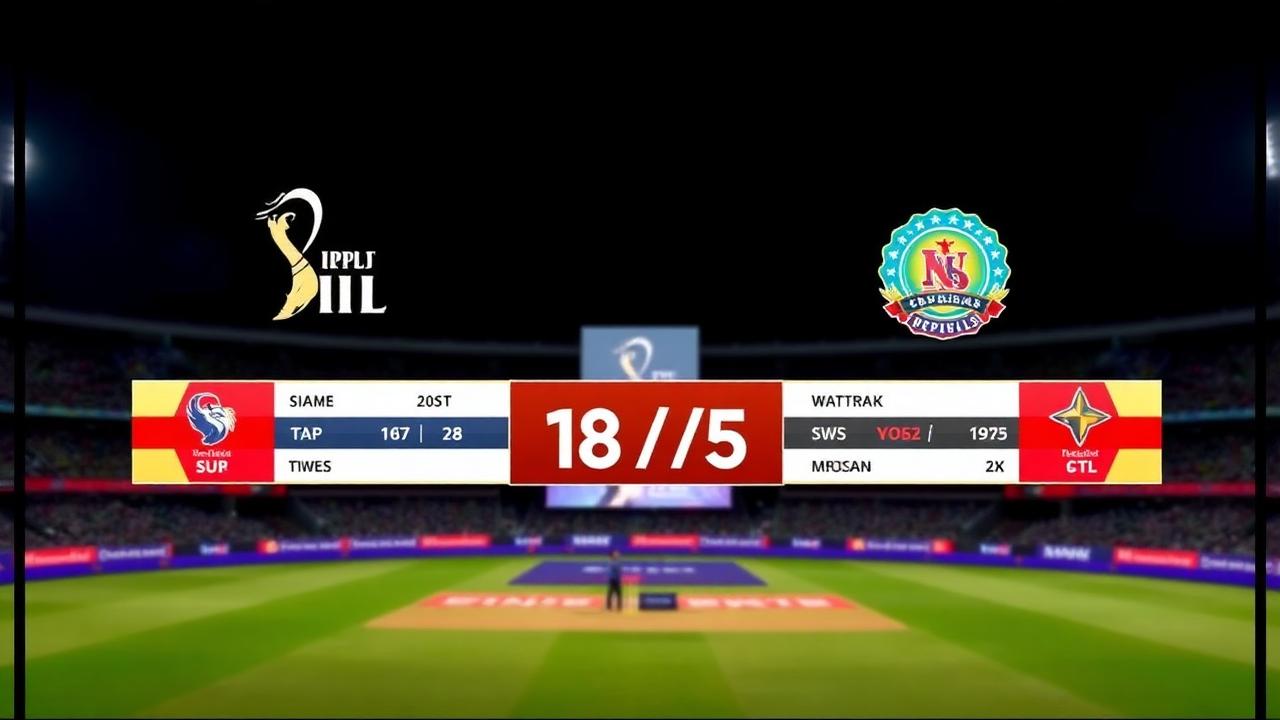
Producing a professional-looking cricket stream once required a broadcast van, proprietary hardware, and a dedicated graphics crew. Today, modern cricket match broadcast tools allow club organizers, school coaches, and tournament directors to deliver television-quality livestreams directly from a smartphone or laptop. Whether you are running an evening tape-ball cup under floodlights or managing a multi-day club championship, having the right digital toolchain ensures your audience stays glued to the action with real-time scores, player metrics, and automated graphics.
Quick Answer: What Are Cricket Match Broadcast Tools?
Cricket match broadcast tools are software applications and digital platforms that manage ball-by-ball scoring, generate dynamic live stream graphic overlays (lower thirds, scorebugs, and wagon wheels), and send synchronized match video to platforms like YouTube, Facebook, or custom web portals.
Instead of manually updating static scoreboards or typing numbers over a video feed, broadcast tools link digital scoring directly to your video feed. When the scorer logs a boundary or a wicket on their phone, the broadcast graphic updates instantly across the screen without interrupting the broadcast workflow.
Essential Features of Modern Cricket Match Broadcast Tools
Professional sports broadcasts maintain viewer engagement because the visual graphics communicate the game's context in real time. For grassroots and community cricket, broadcast tools need to deliver that same polished visual experience while working reliably in unpredictable match environments.
Real-Time Live Scoring Engine
At the foundation of any broadcast software sits the scoring engine. Cricket scoring is notoriously complex, governed by nuanced regulations outlined in the ICC official rules and playing conditions. A broadcast tool must seamlessly handle:
- Extras: Wides, no-balls, leg-byes, and penalty runs.
- Dismissals: Run-outs, stumpings, catches, LBWs, and retired hurts.
- Custom Match Formats: From traditional hardball overs to fast-paced F5, T10, tape-ball, and gully formats.
- Weather Disruptions: Built-in calculation support, such as the Duckworth-Lewis-Stern (DLS) method.
When a scorer taps an outcome on their interface, the broadcast platform must parse this data immediately, recalculating batter strike rates, bowler economy rates, and team run rates across all broadcast outputs.
Dynamic Overlays and Broadcast Scorebugs
The scorebug—the graphical bar pinned to the screen showing runs, wickets, and overs—is what transforms amateur video into a recognizable broadcast. High-performance broadcast tools provide clean visual components including:
- Permanent bottom-strip scorebars showing the current partnership, active batter, bowler, and target run rate.
- Automated contextual lower thirds triggered by milestones (half-centuries, five-wicket hauls, maiden overs).
- Boundary and dismissal banners ("FOUR", "SIX", "WICKET") that flash across the stream synchronized with play.
- Between-overs summaries displaying run tallies, bowling analyses, and required run rates.
Offline Reliability and Cloud Synchronization
Local matches frequently take place in venues with unstable cellular connectivity. An effective match broadcast tool must run completely offline without dropping ball-by-ball records or corrupting the match state. Once mobile connectivity or Wi-Fi is restored, the software should automatically synchronize match records to the cloud, updating remote viewers and tournament leaderboards without requiring manual exports.
Integrated Tournament and Statistics Hub
A single match rarely exists in isolation. Broadcast software should feed directly into tournament standings, keeping track of net run rates, player performance tables, and bracket progression. If you are tracking tournament qualification paths, understanding how NRR works is critical. Having a tool that updates the points table automatically the moment the final run is scored saves hours of administrative effort.
How Grassroots Cricket Broadcasts Work
Understanding how video capture, scoring data, and streaming platforms interact helps you build an efficient matchday setup without expensive equipment.
[Pitch Action]
      │
      ▼
[Camera / Smartphone] ───► [Video Encoder (e.g. OBS Studio)]
                                      ▲
[Ball-by-Ball Scorer] ───► [Run & Ball Cloud Overlays]
                                      │
                                      ▼
                        [Live Stream Destination]
(YouTube / Facebook / Web)- Video Capture: A camera or smartphone captures match footage from an elevated position (typically behind the bowler's arm or from mid-wicket).
- Scoring Input: The match scorer registers each delivery on a mobile device or laptop using the scoring interface.
- Overlay Generation: The broadcast software generates a dynamic browser source URL containing graphics rendered in real time.
- Encoding and Composition: Streaming software (such as OBS Studio, vMix, or a mobile streaming client) combines the raw camera feed with the graphical overlay URL.
- Distribution: The combined broadcast is encoded and sent to social platforms or embedded onto club websites for fans worldwide.
Step-by-Step Guide: Setting Up a Live Cricket Match Broadcast
Setting up your broadcast toolchain does not require advanced audio-visual certification. Follow these steps to prepare, score, and stream your match with professional overlays.
Step 1: Set Up Teams, Squads, and Tournament Structure
Begin by entering tournament parameters well before the toss.
- Create your competition within Run & Ball to establish match formats, over caps, and fielding restrictions.
- Add squads and roster profiles. Having full player names registered enables individual records in the player directory.
- Select match rules tailored to your competition—whether a regulated 40-over contest or a high-tempo gully match.
Step 2: Establish the Scoring Station
Assign a dedicated scorer with a stable vantage point near the boundary line or pavilion.
- Open the scoring interface on a smartphone, tablet, or web browser.
- Conduct the toss within the app to lock in the batting and bowling lineups.
- Confirm your device has sufficient battery and offline storage enabled if network coverage at the ground fluctuates.
Step 3: Configure Your Video Source and Overlay URL
Link the scoring engine directly to your video broadcasting software.
- Position your video device (a smartphone mounted on a tall tripod or an HDMI camera connected to a capture card).
- Generate your browser source overlay URL inside the broadcast tools menu.
- Open your video encoder (such as OBS Studio) and add a new "Browser" layer.
- Paste your unique overlay link and set the resolution to match your canvas (commonly 1920x1080).
- Position the scorebug so it remains clearly visible without obstructing the pitch, bowler's delivery stride, or slips cordon.
Step 4: Test Real-Time Event Sync
Run a quick test before players take the field.
- Input a practice dot ball or single to verify that the graphics on your streaming preview refresh smoothly.
- Test boundary animations and undo actions to ensure the encoder reflects changes immediately without graphical lag.
- Delete practice deliveries to reset the match state to zero before the umpire calls play.
Step 5: Go Live and Share the Stream
Once the opening delivery is bowled, focus on ball-by-ball accuracy.
- Start your stream transmission to YouTube, Facebook, or your destination platform.
- Share your interactive match link with players, families, and supporters so remote fans can follow ball-by-ball updates from all live matches even if they cannot stream high-definition video.
- At the close of each innings, display full scorecard graphics and team summaries to keep viewers informed during changeovers.
Why Run & Ball Fits Modern Match Productions
Many legacy broadcast systems were built strictly for high-end leagues with costly per-match fees and complicated hardware setups. Run & Ball was engineered specifically around the operational realities faced by clubs, school circuits, and local tournaments across South Asia, the Middle East, and worldwide communities.
Mobile-First Simplicity
You do not need a broadcast truck or high-end mixing desks. Run & Ball allows scorers to register deliveries using intuitive taps on a mobile screen. The platform instantly generates production-ready browser overlays compatible with any standard streaming workflow.
Built for All Formats
Unlike software restricted solely to standard English club cricket, Run & Ball is optimized for tape ball, gully cricket, F5, T10, and night tournaments. Custom over limits, unique extra rules, and flexible batting orders are treated as standard features rather than complex workarounds.
Integrated Match Ecology
Beyond the live broadcast graphic, every ball scored contributes to player career statistics, dynamic team rankings, and instant match highlights. Detailed historical data sits alongside the live stream, giving community players the same analytical depth found in top-tier archives like ESPNcricinfo statistics & records.
Tips for Optimizing Your Match Broadcast
A high-quality broadcast relies as much on operational planning as it does on software. To maximize your stream presentation:
- Protect Against Heat and Sunlight: Outdoor mobile devices overheat quickly. Shield your scoring phone and camera under an umbrella or pavilion canopy to prevent thermal shutdowns mid-innings.
- Maintain Audio Clarity: Wind noise often ruins cricket livestreams. Use a basic directional shotgun microphone or clip-on wireless transmitter fitted with a windscreen near the pitch or commentary area.
- Assign Scoring and Commentary Roles Separately: Asking a single volunteer to score ball-by-ball while delivering play-by-play commentary inevitably leads to missed deliveries or incorrect extras. Divide tasks so each person stays focused.
- Review Network Bandwidth: If streaming from a ground with weak cellular signals, lower your video encoding bitrate (e.g., 720p at 2,500 kbps) while keeping the data overlay active. Viewers prefer a stable, continuous stream over a stuttering 1080p feed that buffers between deliveries.
Related Guides & Tournament Resources
Planning a smooth tournament involves more than just selecting streaming tools. Explore our practical guides to streamline your matchday operations:
- How to organize a cricket tournament
- How to live stream a cricket match
- Cricket tournament checklist
- Browse all live matches
- Open the player directory
- Start a free tournament
Explore More on Cricket Streaming & Production
- Live Cricket Streaming Software
- Cricket Broadcast Software
- Cricket Streaming Platform
- Cricket Score Overlay Software
- Cricket Live Stream Scoreboard
Authoritative References
Chennai Chargers
84/3
Overs 9.0 · CRR 9.33
Target 165
Need 81 in 66 balls
RRR 7.36
Manage your next cricket tournament with Run & Ball
- Live ball-by-ball scoring
- Auto fixtures & points table
- Player & team stats
- Free forever
People also ask
Reader comments(0)

Ready to run your next cricket tournament?
Score matches ball-by-ball, run fixtures, points tables and playoffs, and stream to OBS — all free from one phone.
Related articles
- Live Scoring & Streaming
Live Cricket Scoring Software — Free Tool & Guide | Run & Ball
Live Cricket Scoring Software: how Run & Ball gives you a free, mobile-first live cricket scoring software for clubs, schools, academies and local cricket leagues.
- Live Scoring & Streaming
Cricket Live Score App — Free Tool & Guide | Run & Ball
Cricket Live Score App: how Run & Ball gives you a free, mobile-first cricket live score app for clubs, schools, academies and local cricket leagues.
- Live Scoring & Streaming
Live Cricket Streaming Software — Free Tool & Guide | Run & Ball
Live Cricket Streaming Software: how Run & Ball gives you a free, mobile-first live cricket streaming software for clubs, schools, academies and local cricket leagues.
- Live Scoring & Streaming
Cricket Broadcast Software — Free Tool & Guide | Run & Ball
Cricket Broadcast Software: how Run & Ball gives you a free, mobile-first cricket broadcast software for clubs, schools, academies and local cricket leagues.
- Live Scoring & Streaming
Cricket Streaming Platform — Free Tool & Guide | Run & Ball
Cricket Streaming Platform: how Run & Ball gives you a free, mobile-first cricket streaming platform for clubs, schools, academies and local cricket leagues.
- Live Scoring & Streaming
Cricket Live Match Tracking — Free Tool & Guide | Run & Ball
Cricket Live Match Tracking: how Run & Ball gives you a free, mobile-first cricket live match tracking for clubs, schools, academies and local cricket leagues.